
7 Best Offline Dictation Apps for Mac in 2026 (Speech-to-Text Alternatives)
The best offline speech to text alternatives for Mac in 2026. Compare Voibe, SuperWhisper, MacWhisper, VoiceInk, and more — all offline, all on-device, with pricing, privacy, and feature breakdowns.

TL;DR: The best offline speech to text alternative for Mac is Voibe ($9.90/month, $89.10/year, or $198 lifetime) for most users — it runs 100% on-device, integrates with VS Code and Cursor, offers the best lifetime value for privacy-first Mac dictation, and commits to never training AI on user dictation. For budget users who want cheaper upfront, VoiceInk ($25–$49 one-time) offers open-source on-device dictation — but it's community-developed with minimal support. Apple Dictation is free but lacks custom vocabulary and developer features.
Disclosure: Voibe is our product. We compare all tools factually and acknowledge competitor strengths where they exist.
This article compares every major offline speech-to-text alternative for Mac in 2026 — offline dictation apps that process your voice locally on your device without sending audio to cloud services like Google Cloud Speech-to-Text, AWS Transcribe, Azure Speech, Wispr Flow, Typeless, or Aqua Voice. If privacy, offline availability, or data control matters to you, these are your options. For a broader look at all dictation tools including cloud-based options, see our complete guide to dictation on Mac.
Key Takeaways: Best Offline Dictation Apps at a Glance
| App | Best For | Price | Key Strength |
|---|---|---|---|
| Voibe | Developers, privacy-first users | $9.90/mo, $89.10/yr, or $198 lifetime | IDE integration (VS Code + Cursor) |
| SuperWhisper | Power users wanting model flexibility | $8.49/mo or $249.99 lifetime | Custom Whisper model loading |
| MacWhisper | Audio/video file transcription | Free / $30 Pro | Batch file transcription with timestamps |
| VoiceInk | Budget-conscious Mac users | $25–$49 one-time | Open source (GPL v3), lowest price |
| Speakmac | Lightweight, simple dictation | $19 one-time | Minimal footprint, affordable |
| Apple Dictation | Casual use, quick messages | Free (built-in) | Zero setup, 60+ languages |
| Whisper.cpp | Technical users, CLI workflows | Free (open source) | Full control, any Whisper model |
Key Takeaway
Voibe offers the best balance of privacy, features, and value among offline dictation apps. Its $198 lifetime plan is 21% cheaper than SuperWhisper ($249.99, saving ~$52) and includes developer IDE integration no other tool offers.
Why Users Are Switching to Offline Dictation Software
Cloud-based dictation tools like Wispr Flow, Aqua Voice, VoiceDash, Blip AI, and Google Voice Typing send your audio to remote servers for processing. For many Mac users, that's a dealbreaker. Here's what drives the shift to offline dictation:
- Audio data stored on third-party servers. Cloud services process your voice on remote infrastructure. Apple Community threads and Reddit posts regularly surface concerns about who can access stored voice recordings, how long they're retained, and whether they're used for model training.
- Compliance requirements prohibit cloud processing. Professionals handling HIPAA-protected health information, attorney-client privileged communications, or NDA-covered product discussions cannot legally send voice data to cloud servers without explicit authorization and compliant infrastructure.
- Internet dependency kills productivity. Cloud dictation stops working on planes, in areas with poor connectivity, and during network outages. Offline tools work everywhere your Mac goes.
- Latency from server round-trips. Cloud tools add 200–500ms of network latency to every utterance. On-device tools produce text as you speak, with no perceptible delay on Apple Silicon Macs.
- Subscription fatigue. Wispr Flow costs $144/year with no lifetime option. Users looking for offline alternatives often want to pay once and own the software permanently. Even lifetime deals on new cloud apps like VoiceDash still route your audio to the cloud.
- Developer and RSI adoption. Voice dictation enables 150+ WPM versus roughly 40 WPM for average typing. Developers are increasingly using voice for AI prompts, code comments, documentation, and PRDs. RSI prevention is a significant driver — voice input reduces typing-related strain. Claude Code shipped a built-in voice mode in March 2026, signaling mainstream developer adoption.
For a deeper dive into why local processing matters for sensitive work, read our guide on offline dictation and privacy on Mac.
How On-Device Dictation Solves These Problems
Modern offline dictation apps use OpenAI's open-source Whisper speech recognition models, running them directly on your Mac's Apple Silicon Neural Engine. Here's how this approach addresses each pain point:
- Privacy by architecture. Audio is processed in RAM on your Mac and discarded immediately. No network requests, no server storage, no third-party access. Your voice data physically cannot leave your device.
- Compliance-ready by default. When no data leaves the device, there's no cloud provider to audit, no BAA to negotiate, and no data processing agreement needed. On-device processing simplifies compliance for healthcare, legal, and financial professionals.
- Works everywhere, always. Airplane mode, coffee shop with spotty Wi-Fi, remote cabin — offline dictation works identically in all conditions.
- Zero latency. Apple Silicon's Neural Engine processes Whisper models locally with near-instant results. Text appears as you speak.
- One-time pricing available. Several offline apps offer lifetime licenses: Voibe ($198), SuperWhisper ($249.99), VoiceInk ($25–$49). Pay once, use forever.
Offline Speech to Text Alternatives: Which Cloud Service Are You Replacing?
Most Mac users searching for offline speech to text alternatives are trying to replace a specific cloud service. The right on-device replacement depends on which cloud tool you're coming from and which workflow matters most. This table maps common cloud speech-to-text services to their best offline alternatives.
| Cloud Service You're Replacing | Pricing You Pay | Best Offline Alternative | Why It Works |
|---|---|---|---|
| Wispr Flow | $15/mo, $144/year | Voibe ($9.90/mo, $89.10/yr, or $198 lifetime) | Same on-device Whisper architecture, 38% cheaper annually ($89.10 vs $144, saving $54.90/yr), zero cloud exposure, commitment to never training AI on user dictation. See Apple Dictation vs Wispr Flow for the upgrade framework. |
| Typeless | $12/mo, $144/year | Voibe or SuperWhisper | Typeless routes audio through AWS despite "on-device" marketing. On-device Whisper apps keep audio local. See Typeless privacy issues case study. |
| Aqua Voice | $8/mo, $96/year | Voibe (developer workflows) or VoiceInk (budget) | Eliminates per-minute cloud cost. Voibe's IDE integration matches Aqua Voice's custom dictionary feature for developers. See Aqua Voice vs Wispr Flow. |
| Google Cloud Speech-to-Text | $0.024/minute API | Whisper.cpp (free) or MacWhisper ($30) | Batch workflows replace paid APIs outright. Whisper Large V3 matches Google's accuracy without per-minute fees. |
| AWS Transcribe | $0.024/minute API | Whisper.cpp or MacWhisper | Self-hosted Whisper on Apple Silicon replaces AWS Transcribe for interview and podcast transcription workflows. |
| Azure Speech / Microsoft Speech | $1/hour API | Whisper.cpp or Voibe | Apple Silicon Neural Engine handles real-time Whisper inference without sending audio to Microsoft. |
| Otter.ai (dictation use) | $16.99/mo Pro | Voibe (real-time) or MacWhisper (file transcription) | Otter stores audio indefinitely by default. On-device alternatives eliminate retention risk. See Otter AI alternatives. |
| Apple Dictation (wanting more) | Free | Voibe or VoiceInk | Apple Dictation works offline on Apple Silicon but lacks custom vocabulary and developer tools. Voibe adds IDE integration and higher accuracy. |
| Dragon NaturallySpeaking | Discontinued 2018 | Voibe (Mac) or SuperWhisper | Dragon Dictate for Mac ended in 2018. Modern offline Whisper apps deliver equivalent accuracy. See Dragon NaturallySpeaking alternatives. |
| Dragon Medical One | $79–$99/mo | Voibe (HIPAA-friendly on-device) | Dragon Medical One runs cloud-only. On-device alternatives keep PHI off servers. See Dragon Medical alternatives. |
If you don't see your current service above, the pattern is consistent: any cloud speech-to-text service can be replaced by an on-device Whisper app for Mac. The main trade-offs are Mac-only support (most offline tools skip Windows/Linux) and a one-time upfront cost instead of a metered per-minute bill. Over 12 months, the offline alternative almost always costs less.
Key Takeaway
Every major cloud speech-to-text service has a Mac offline alternative. Voibe replaces Wispr Flow, Typeless, and Aqua Voice for real-time dictation. MacWhisper and Whisper.cpp replace Google Cloud Speech-to-Text, AWS Transcribe, and Azure Speech for batch file workflows.
What to Look For in Offline Dictation Software
Not all offline dictation apps are equal. Here are six criteria to evaluate before choosing one:
1. Processing Architecture
Verify the app processes speech entirely on-device. Some apps market themselves as "private" but still send audio to servers for certain features. True offline dictation means zero network calls during transcription.
2. Whisper Model Support
Most offline dictation apps use OpenAI's Whisper models. Larger models (Large V3) deliver better accuracy but require more RAM and processing power. Check which model sizes the app supports and whether you can switch between them.
3. System-Wide Text Insertion
The best offline dictation apps insert text wherever your cursor is — any app, any text field. Some tools only work within their own window, requiring copy-paste. System-wide insertion is essential for practical daily use.
4. Developer and Professional Features
If you write code, look for IDE integration that resolves workspace-specific terms. If you handle legal or medical documents, look for custom vocabulary support. General dictation apps misrecognize domain-specific terminology.
5. Pricing Model
Offline dictation apps use three pricing models: monthly subscription, annual subscription, one-time lifetime purchase, and free tiers. Calculate your 2–3 year total cost before committing. A $198 lifetime license pays for itself in 20 months of a $9.90/month subscription, or about 27 months vs an $89.10/year annual plan.
6. Apple Silicon Optimization
On-device Whisper processing requires Apple Silicon (M1 or later) for practical performance. Check minimum macOS version requirements — most apps need macOS 13 (Ventura) or later.
Quick Comparison: Offline Dictation Apps for Mac
| App | Processing | Best For | Monthly | Lifetime | Rating |
|---|---|---|---|---|---|
| Voibe | On-device | Developers, privacy | $9.90 | $198 | 4.8/5 (Product Hunt) |
| SuperWhisper | On-device | Model flexibility | $8.49 | $249.99 | 4.9/5 (Product Hunt) |
| MacWhisper | On-device | File transcription | — | Free/$30 | 4.9/5 (Product Hunt) |
| VoiceInk | On-device | Budget users | — | $25–$49 | — |
| Speakmac | On-device | Simple dictation | — | $19 | — |
| Apple Dictation | On-device* | Casual use | Free | Free | Built-in |
| Whisper.cpp | On-device | CLI / technical users | Free | Free | Open source |
*Apple Dictation is on-device on Apple Silicon Macs only. Intel Macs use cloud processing.
1. Voibe — Best Offline Dictation App for Developers and Privacy
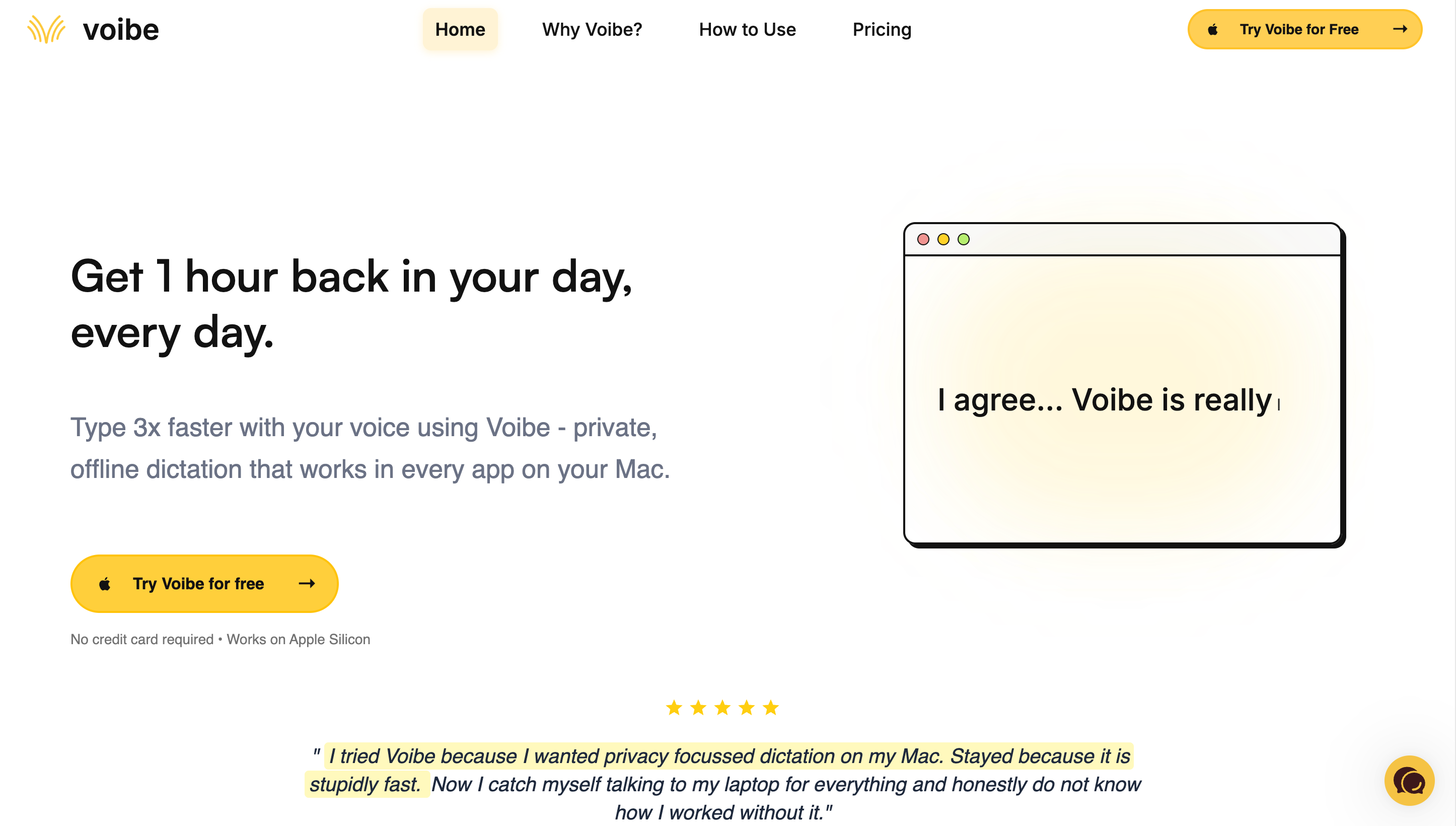
Voibe is an offline dictation app for Mac that runs 100% on-device using OpenAI's Whisper models on Apple Silicon. No audio data ever leaves your Mac — no cloud processing, no account required, no internet needed. Voibe is the only offline dictation app with VS Code and Cursor IDE integration, making it the top choice for developers who dictate code documentation, commit messages, and technical writing.
Key Features
- 100% on-device processing — Whisper models run on Apple Silicon Neural Engine
- Developer Mode — VS Code and Cursor integration with file/folder name resolution
- System-wide dictation — works in any Mac app, any text field
- Apple Silicon optimized — M1 through M4, macOS 13+
- No account required — download, install, start dictating
- 7-day free trial — try before buying
✓ Pros
- Only offline dictation app with developer IDE integration
- Best lifetime value for privacy-first Mac dictation ($198)
- Never trains AI on user dictation
- Zero data exposure — audio processed in RAM and discarded
- Works system-wide in any Mac application
✗ Cons
- Mac only — no Windows, iOS, or Android support
- Requires Apple Silicon (M1 or later)
- No AI text rewriting or reformatting features
💰 Pricing
FREE
$0
300 words/day
MONTHLY
$9.90
per month
BEST VALUE
$198
lifetime, one-time
User Reviews
Voibe holds a 4.8 out of 5 rating on Product Hunt based on user reviews.
Best For
Developers, privacy-first professionals, and anyone who wants affordable on-device dictation with IDE integration. See how Voibe compares to cloud-based alternatives in our Wispr Flow alternatives guide.
Key Takeaway
Voibe is the only offline dictation app for Mac with VS Code and Cursor IDE integration. At $198 lifetime, it's 21% cheaper than SuperWhisper's $249.99 lifetime plan — saving $51.99.
2. SuperWhisper — Best for Whisper Model Flexibility
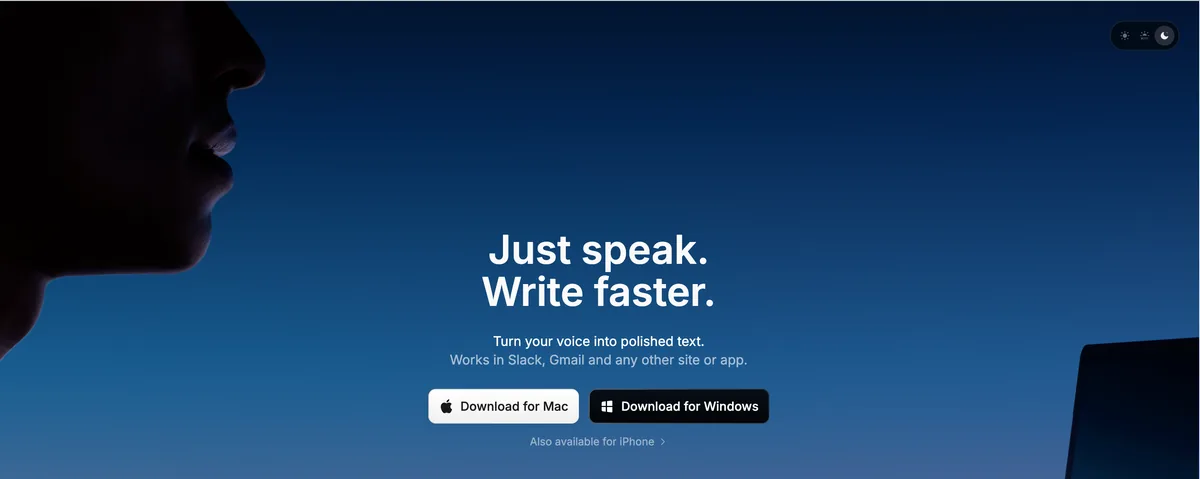
SuperWhisper is an on-device dictation app for Mac and iOS that supports multiple Whisper model sizes and custom model loading. All processing runs locally on Apple Silicon. SuperWhisper stands out for giving power users fine-grained control over which speech recognition model runs on their device. Read our detailed SuperWhisper alternatives comparison.
Key Features
- Multiple Whisper models — switch between Tiny, Base, Small, Medium, and Large
- Custom model support — load fine-tuned Whisper models
- On-device processing — fully offline capable
- Mac and iOS support — works across Apple devices
- Clean, minimal interface
✓ Pros
- Widest range of Whisper model options
- Custom model loading for specialized vocabularies
- Cross-Apple-device support (Mac + iOS)
- Strong community and regular updates
✗ Cons
- Lifetime plan costs $249.99 — $150 more than Voibe ($198)
- No developer IDE integration
- No AI text rewriting
- No Windows support
- Audio recordings saved by default; no option to disable
- LLM post-processing features can corrupt non-English text
💰 Pricing
MONTHLY
$8.49
per month
ANNUAL
$84.99
per year
LIFETIME
$249.99
one-time
User Reviews
SuperWhisper holds a 4.9 out of 5 rating on Product Hunt based on 19 reviews.
Best For
Power users who want to experiment with different Whisper model sizes and load custom fine-tuned models for specialized vocabulary.
3. MacWhisper — Best for Audio and Video File Transcription
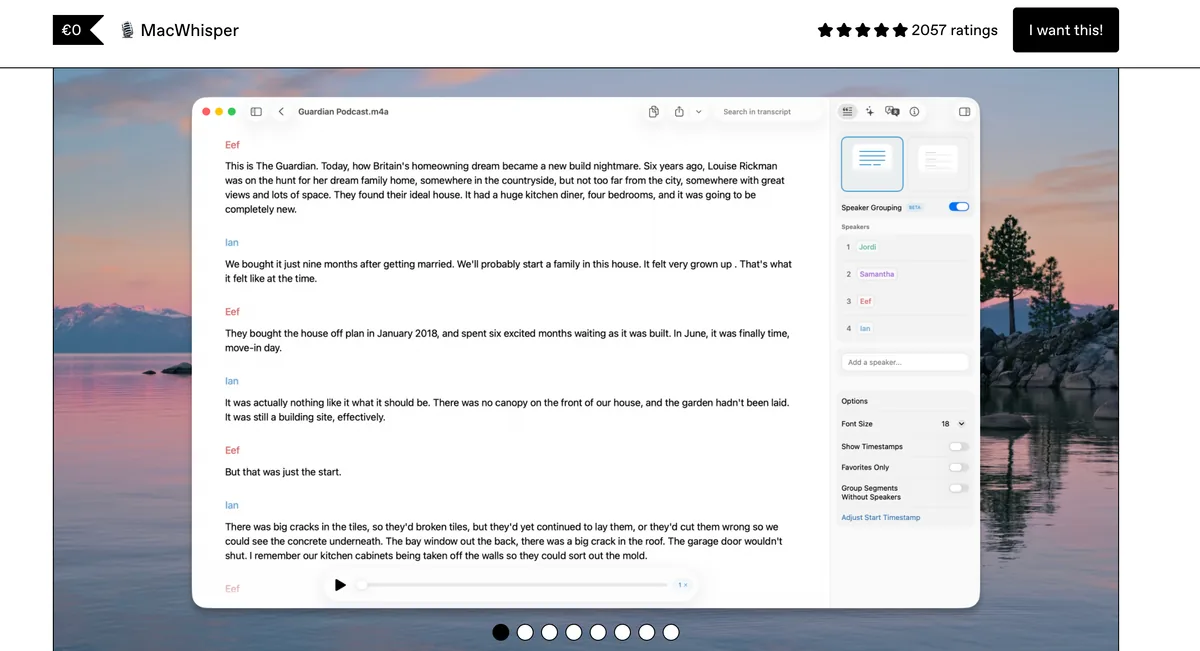
MacWhisper is a Mac app designed specifically for transcribing pre-recorded audio and video files, not real-time dictation. It uses on-device Whisper models to convert recordings into timestamped text, SRT subtitles, and other export formats. See how it fits in the broader landscape in our MacWhisper alternatives comparison.
Key Features
- Batch audio/video transcription — drag and drop files
- On-device Whisper processing — fully offline
- Multiple export formats — plain text, SRT subtitles, VTT, CSV
- Timestamp support — click-to-navigate synced timestamps
- Speaker diarization — identify different speakers (Pro)
✓ Pros
- Best-in-class for file transcription with timestamps
- Affordable — free basic version, $30 for Pro
- Strong accuracy with Whisper Large V3 model
- Clean interface for managing transcriptions
✗ Cons
- Not designed for real-time dictation — batch only
- No system-wide text insertion
- No developer tools or IDE integration
- Not suitable as a daily dictation tool
💰 Pricing
FREE
$0
Smaller Whisper models
PRO
$30
one-time, Large model
User Reviews
MacWhisper holds a 4.9 out of 5 rating on Product Hunt.
Best For
Journalists, researchers, podcasters, and content creators who need to transcribe existing audio or video files with timestamps.
4. VoiceInk — Best Budget Offline Dictation App
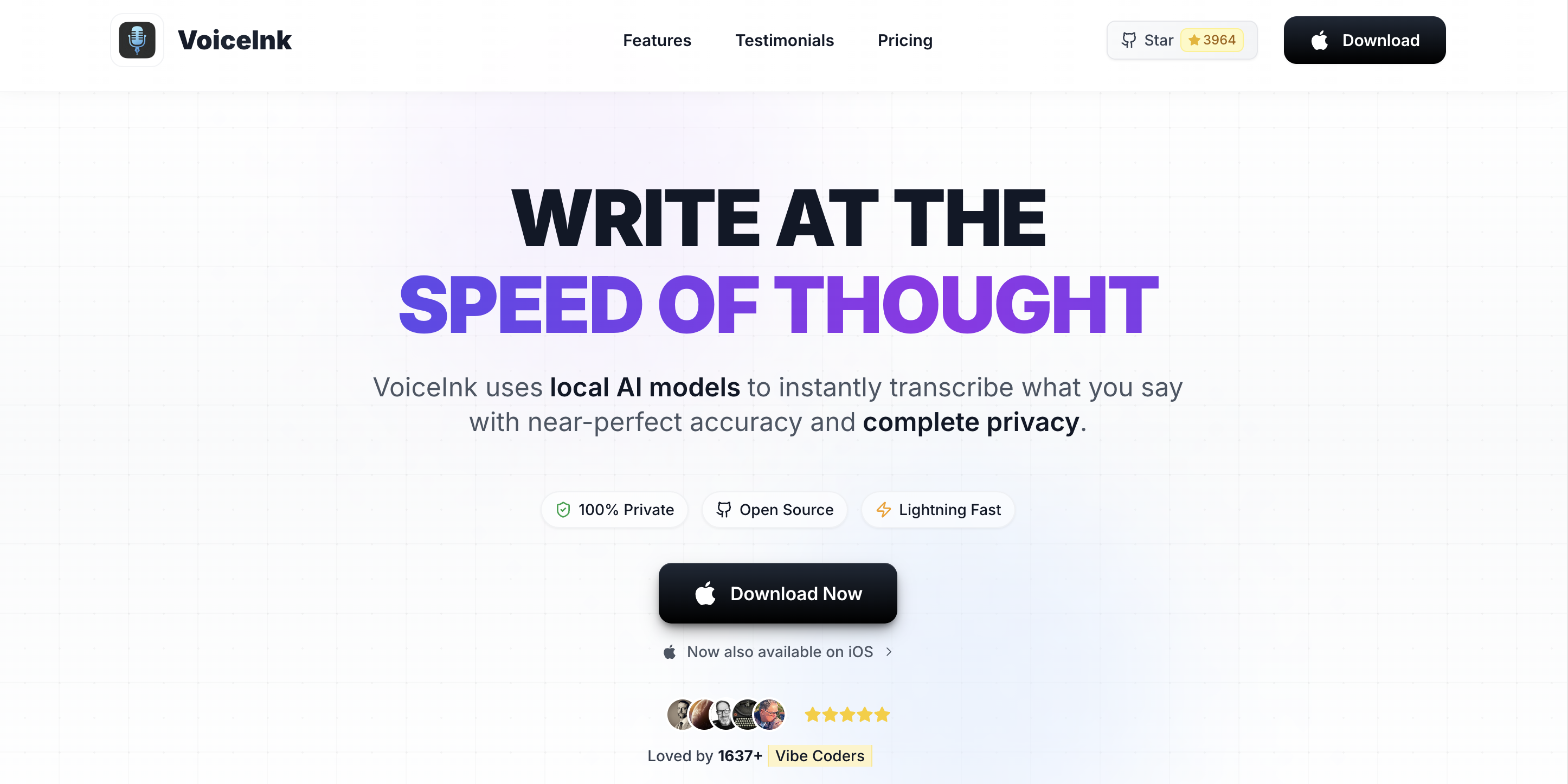
VoiceInk is an open-source (GPL v3) on-device dictation app for Mac. It offers the lowest-priced one-time purchase option among Mac dictation apps, making it the budget-friendly choice for users who want local Whisper processing without a subscription. Read our full VoiceInk review for a detailed breakdown of its features, accuracy, and value.
Key Features
- On-device Whisper processing — fully offline
- Open source (GPL v3) — community-auditable code on GitHub
- One-time purchase — no subscription required
- System-wide dictation — works in any Mac app
- Build from source — technically free if you compile it yourself
✓ Pros
- Lowest price point ($25–$49 one-time)
- Fully open source — anyone can audit the code
- No subscription commitment
- Solid basic dictation functionality
✗ Cons
- Smaller community and less frequent updates
- No developer IDE integration
- No AI rewriting features
- Mac only
💰 Pricing
ONE-TIME
$25–$49
compiled version
BUILD FROM SOURCE
Free
requires Xcode
Best For
Budget-conscious Mac users who want basic on-device dictation without recurring costs. Open-source advocates who value code transparency. See how it stacks up in our Voibe vs VoiceInk comparison.
5. Speakmac — Lightweight Offline Dictation for Mac
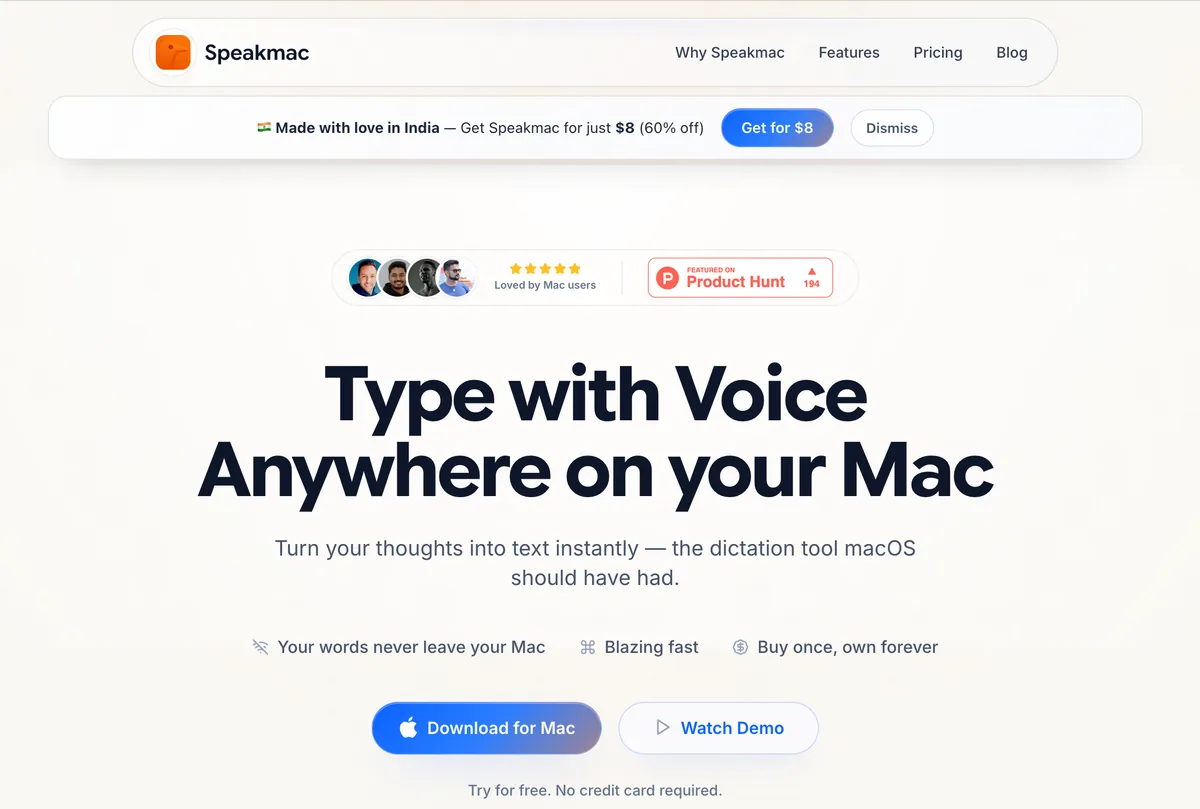
Speakmac is a lightweight, single-purpose dictation app for Mac that processes speech on-device. It targets users who want a simple, affordable tool without the feature overhead of larger dictation suites.
Key Features
- On-device processing — offline capable
- Minimal interface — small memory and CPU footprint
- System-wide dictation — works in any text field
- One-time purchase — $19, no subscription
✓ Pros
- Very affordable at $19 one-time
- Lightweight — won't slow down your Mac
- Simple to set up and use
✗ Cons
- Limited feature set compared to Voibe or SuperWhisper
- No developer integration
- No custom vocabulary
- Smaller user base and fewer reviews
💰 Pricing
ONE-TIME
$19
no subscription
Best For
Users who want the most affordable one-time-purchase offline dictation app with minimal complexity.
6. Apple Dictation — Free Built-in Offline Dictation
Apple Dictation is built into every Mac and processes speech on-device when running on Apple Silicon (M1 or later). It's the simplest way to start dictating on Mac — toggle it on in System Settings and press Fn twice to start. For more capable alternatives, see our Apple Dictation alternatives guide.
Key Features
- Free — included with macOS, no installation needed
- On-device on Apple Silicon — M1+ Macs process locally by default
- System-wide — works in any text field across all apps
- 60+ languages — broadest language support of any option
- Voice commands — speak "period," "comma," "new paragraph"
✓ Pros
- Zero cost — included with every Mac
- No installation or setup beyond toggling a switch
- Broadest language support (60+)
- On-device processing on Apple Silicon
✗ Cons
- Struggles with technical vocabulary and jargon
- No custom vocabulary or domain training
- No developer IDE integration
- Inconsistent auto-punctuation
- Cloud processing on Intel Macs (pre-2021)
💰 Pricing
BUILT-IN
Free
included with macOS
Best For
Casual dictation for quick messages, short notes, and everyday text entry. Not suitable for professional, technical, or developer workflows.
Info
On Apple Silicon Macs (M1 and later), Apple Dictation is on-device by default. On Intel Macs, audio is sent to Apple's servers. Verify in System Settings > Keyboard > Dictation.
7. Whisper.cpp — Free Open-Source CLI Dictation
Whisper.cpp is a C/C++ port of OpenAI's Whisper speech recognition model. It runs entirely on your Mac's CPU and GPU with no cloud dependency. Whisper.cpp is a command-line tool, not a GUI app — it's built for developers and technical users who want maximum control over their speech-to-text pipeline.
Key Features
- Full Whisper model support — Tiny through Large V3
- 100% local processing — no internet, no accounts, no data sharing
- Apple Silicon optimized — Core ML and Metal acceleration
- Any audio format — WAV, MP3, M4A, and more
- Completely free — MIT licensed open source
✓ Pros
- Free and open source (MIT license)
- Maximum control over model selection and parameters
- Can be integrated into custom scripts and workflows
- Excellent Apple Silicon performance
✗ Cons
- Command-line only — no GUI, no system-wide text
- Requires terminal proficiency to install and run
- No real-time dictation without scripting
- Setup requires downloading models manually
💰 Pricing
OPEN SOURCE
Free
MIT license
Best For
Developers and technical users who want free, fully offline transcription and are comfortable with the command line. Also useful as a building block for custom speech-to-text workflows.
Want a free offline GUI instead of the terminal? Handy is a free, MIT-licensed desktop app that wraps Whisper (plus Parakeet V3, Moonshine, and Cohere Transcribe) with push-to-talk on Mac, Windows, and Linux. With approximately 20,000 GitHub stars, it's the best free offline dictation app outside the command line. See our Handy alternatives guide if you want to compare Handy against paid Mac options.
How to Choose the Right Offline Dictation App
Use this decision tree to narrow down which offline dictation app fits your Mac workflow:
- Do you need real-time dictation or file transcription?
- File transcription only → MacWhisper ($30 Pro)
- Real-time dictation → continue to question 2
- Are you a developer who dictates in VS Code or Cursor?
- Yes → Voibe ($198 lifetime) — only option with IDE integration
- No → continue to question 3
- Do you need to load custom Whisper models?
- Yes → SuperWhisper ($249.99 lifetime)
- No → continue to question 4
- Do you also need iOS support?
- Yes → SuperWhisper (Mac + iOS)
- Mac only → continue to question 5
- What's your budget?
- $0 — Apple Dictation (built-in, limited accuracy) or Whisper.cpp (CLI)
- Under $50 — Speakmac ($19) or VoiceInk ($25–$49)
- Under $100 — Voibe ($198 lifetime, best overall value)
- Flexible — SuperWhisper ($249.99 lifetime, most model options)
Best Offline Dictation App for Your Situation
Here are 10 common scenarios mapped to the best offline dictation tool for each:
| Scenario | Best Choice | Why |
|---|---|---|
| Developer dictating in VS Code | Voibe | Only offline tool with IDE integration and file name resolution |
| Developer dictating in Cursor | Voibe | Cursor integration resolves workspace-specific terms |
| Lawyer dictating case notes | Voibe | 100% on-device, no data exposure, $198 lifetime |
| Therapist documenting sessions | Voibe | HIPAA-friendly — audio never leaves device |
| Podcaster transcribing episodes | MacWhisper | Built for batch file transcription with timestamps |
| Researcher transcribing interviews | MacWhisper | Speaker diarization, SRT export, timestamp navigation |
| Power user wanting custom models | SuperWhisper | Load fine-tuned Whisper models for specialized vocabularies |
| Mac + iOS user wanting sync | SuperWhisper | Only premium offline option with Mac and iOS apps |
| Student on a tight budget | VoiceInk | $25–$49 one-time, open source, solid accuracy |
| Technical user wanting full control | Whisper.cpp | Free, any model, scriptable, MIT licensed |
Offline Dictation Pricing Breakdown: Pre-Calculated Savings
Here's exactly how much you save by choosing different offline dictation apps:
Voibe vs. SuperWhisper
- Lifetime: Voibe $198 vs. SuperWhisper $249.99 → $51.99 saved (21% cheaper)
- Annual: Voibe annual $89.10 vs. SuperWhisper annual $84.99 → pick the lifetime compare; annual is a wash
- Lifetime value proposition: Voibe is still the cheaper lifetime option with developer IDE integration that SuperWhisper does not offer
Voibe vs. Wispr Flow (cloud alternative)
- Annual: Voibe annual $89.10/yr vs. Wispr Flow $144/yr → $54.90 savings per year (38% cheaper)
- Monthly: Voibe $9.90/mo vs. Wispr Flow $15/mo → $5.10/mo savings (34% cheaper)
- Voibe lifetime vs. 1.5 years Wispr Flow: $198 vs. $216 → Voibe's lifetime license costs less than 17 months of Wispr Flow Pro annual
- 3-year comparison: Voibe $198 (lifetime) vs. Wispr Flow $432 (annual x3) → $234 savings (54% cheaper)
Break-Even Points
- Voibe lifetime vs. Voibe monthly: $198 ÷ $9.90/mo = 20 months. The lifetime license pays for itself in under 2 years.
- Voibe lifetime vs. Voibe annual: $198 ÷ $89.10/yr ≈ 27 months. If you plan to use Voibe beyond 2.5 years, lifetime is cheapest.
- VoiceInk vs. Voibe monthly: $39.99 ÷ $9.90 ≈ 4 months. VoiceInk is cheaper upfront if you do not need Voibe's active development, support, or IDE integration.
Frequently Asked Questions About Offline Dictation
Basics
What is offline dictation?
Offline dictation is speech-to-text software that processes your voice entirely on your local device (Mac, PC, or phone) without sending audio data to cloud servers. The speech recognition model runs on your computer's processor, keeping all audio private and functional without an internet connection.
Do I need Apple Silicon for offline dictation on Mac?
For practical performance with Whisper-based apps (Voibe, SuperWhisper, VoiceInk), yes — Apple Silicon (M1 or later) is required. Apple Silicon's Neural Engine handles the machine learning workload efficiently. Apple Dictation works on Intel Macs but falls back to cloud processing on those devices.
Privacy and Compliance
Is offline dictation HIPAA compliant?
Offline dictation apps that process audio entirely on-device significantly simplify HIPAA compliance because no protected health information (PHI) is transmitted or stored on external servers. However, HIPAA compliance involves your entire workflow, not just one tool. Consult your compliance officer for your specific setup.
Can my employer see what I dictate with offline dictation?
With true on-device tools like Voibe, SuperWhisper, and VoiceInk, audio is processed in your Mac's RAM and discarded immediately. No logs, no cloud storage, no third-party access. Your employer's IT team cannot access your dictated audio through the dictation app itself.
Performance and Accuracy
Which Whisper model should I use?
For most users, Whisper Large V3 provides the best accuracy. Use smaller models (Small or Medium) if you have an M1 Mac with 8GB RAM and notice slowdowns with Large. SuperWhisper lets you switch between model sizes. Voibe automatically selects the optimal model for your hardware.
How accurate is offline dictation compared to Apple Dictation?
Whisper-based offline apps generally outperform Apple Dictation on technical vocabulary, proper nouns, and accented speech. Apple Dictation handles casual conversational speech well but struggles with domain-specific terminology. Neither tool publishes official accuracy benchmarks, so test with your own content.
Cost and Value
What is the cheapest offline dictation app?
The cheapest offline dictation app is Apple Dictation (free, built-in). The cheapest third-party option is Speakmac ($19 one-time). VoiceInk ($25–$49 one-time) offers more features at a slightly higher price. Voibe ($198 lifetime) provides the best value among premium offline dictation apps, with IDE integration and system-wide dictation included.
The Bottom Line: Best Offline Dictation App for Mac
For most Mac users, Voibe is the best offline dictation app in 2026. It's the only option with developer IDE integration (VS Code + Cursor), processes all audio on-device, and its $198 lifetime license is 21% cheaper than SuperWhisper's $249.99.
If you need custom Whisper model loading or iOS support, SuperWhisper is the best alternative at $249.99 lifetime. For batch audio transcription, MacWhisper at $30 is purpose-built for the job. Budget users should look at VoiceInk ($25–$49) or Speakmac ($19).
Start with Voibe's 7-day free trial to test on-device dictation with your actual workflow before committing.
For profession-specific recommendations, see our guides on dictation software for lawyers, dictation software for writers, and dictation software for doctors.
📚 Related Reading
On this site:
- Offline Dictation and Privacy on Mac: The Complete Guide
- Dictation on Mac: Complete Guide to Voice-to-Text in 2026
- Dictation Alternatives: The Complete Directory for Mac Users
- Handy Review: Free Open-Source Offline Dictation (Mac, Windows, Linux)
- 9 Best Handy Alternatives (Free and Paid)
- Best Free Dictation Apps for Mac in 2026
- Dictation Privacy: How to Keep Your Voice Data Safe
- Cloud vs. Local Dictation Compared
- Wispr Flow vs Superwhisper: Head-to-Head Comparison
- Is Wispr Flow Safe? Cloud Architecture, Privacy Mode & Delve Audit Investigation
- Dragon NaturallySpeaking Alternatives for Mac
- Dragon Medical Alternatives for Healthcare
- TurboScribe Alternatives (Cloud → Offline)
- SpeakOneAI Alternatives
- MacWhisper vs Superwhisper: Transcription vs Dictation
- Apple Dictation Pricing — what "free" actually costs in time, accuracy, and regulatory risk
- Apple Dictation vs Dragon: Free vs Professional
- Apple Dictation vs Wispr Flow: Should You Upgrade from Free?
- Apple Dictation vs OpenAI Whisper: Built-In Dictation vs Open-Source Model
- Willow Voice Pricing — cloud-first AI dictation with optional Offline Mode on Mac/iOS
- Willow Voice Review — YC-backed cross-platform AI dictation
- Best Dictation Software for Lawyers
- Best Dictation Software for Writers
- Best Dictation Software for Doctors
On the Voibe Blog:
Ready to type 3x faster?
Voibe is the fastest, most private dictation app for Mac. Try it today.
Related Articles
7 Best Dictation Software for Lawyers (2026)
Best dictation software for lawyers who want privacy, speed, and value. 7 tools compared on confidentiality, cost per attorney, and Mac support.
7 Best Dictation Software for Writers (2026)
Compare the 7 best dictation tools for writers in 2026. Covers offline and cloud options, pricing from free to $699, and which tool fits your writing workflow.
How Whisper Works: OpenAI's Speech Model Explained for Mac Users (2026)
OpenAI Whisper powers on-device dictation on Mac. Learn how the model architecture works, which size to choose, and why Apple Silicon makes it fast and private.