
Best Open Source Wispr Flow Alternatives (2026)
8 open source Wispr Flow alternatives compared on license, platform, maintenance activity, and total cost. Plus a honest read on OSS abandonment and support risk.

TL;DR: The best fully open-source Wispr Flow alternative in 2026 depends on your platform. On Mac, VoiceInk (GPL v3.0, free source build or $25-49 paid binary) is the closest one-to-one replacement. Cross-platform, Handy (MIT, free, 22,435 GitHub stars) is the strongest option. On Linux specifically, Handy or Speech Note are the polished choices. All of them run Whisper or VOSK speech recognition entirely on your device — no Baseten transcription, no OpenAI/Anthropic/Cerebras text Polish, no AWS storage, none of the five subprocessors Wispr Flow's published subprocessor list documents. The trade-off is real: open-source dictation tools require setup, the support model is a GitHub issue tracker, and indie projects sometimes get abandoned (github.com/savbell/whisper-writer is the cautionary case — 1,058 stars, last commit August 2024). For users who want the same on-device privacy posture without the OSS setup tax or abandonment risk, Voibe at $149 lifetime is the maintained-product alternative.
Disclosure: Voibe is our product. This guide is an honest read on the open-source Wispr Flow alternative landscape — we recommend the OSS tools that genuinely fit user needs, name their strengths, name their weaknesses, and only then describe where a paid, maintained product earns its keep. Voibe is not open-source; we say so clearly. Where an OSS tool covers your use case fully, the OSS tool is the right answer.
| Tool | License | Platforms | Price | Best For |
|---|---|---|---|---|
| VoiceInk | GPL v3.0 | macOS | $25-49 or free source build | Mac-native one-to-one Wispr Flow replacement |
| Handy | MIT | macOS, Windows, Linux | Free | Cross-platform OSS dictation with the highest community trust |
| VoiceTypr | AGPL v3.0 | macOS, Windows | $59 lifetime or free source build | Mac + Windows pairing with paid-binary support |
| OpenWhispr | MIT | macOS, Windows, Linux | Free | Local + BYOK cloud, cross-platform |
| nerd-dictation | GPL v3.0 | Linux | Free | Linux command-line and scripting workflows |
| Speech Note | MPL 2.0 | Linux | Free | Polished Linux GTK dictation UI |
| Buzz | MIT | macOS, Windows, Linux | Free | File transcription cousin to live dictation |
| Talon Voice | Proprietary core + MIT community | macOS, Windows, Linux | Alpha free, Patreon-gated beta | Voice-controlled coding + hands-free OS control |
Voibe is not on this list because Voibe is not open-source. If you want on-device dictation privacy without the OSS setup tax, the GitHub-issue support model, and the abandonment risk, see the maintained-product alternative section below — Voibe at $149 lifetime saves $283 (65%) versus Wispr Flow Pro over three years and ships with email support and a real entity behind it.
Why Users Are Looking for Open Source Wispr Flow Alternatives
Wispr Flow is a venture-backed, polished real-time dictation product across Mac, Windows, iOS, Android, and a Chrome extension. The product itself is genuinely good — clean UX, fast cross-platform sync, an in-app Business Associate Agreement that no peer in the category offers, and transparent documentation. Users searching for open-source alternatives are not searching because the product is broken. They are searching because of five structural mismatches between Wispr Flow's architecture and what an OSS-first user is optimizing for.
- Dictation audio crosses a 5-subprocessor cloud chain. Per Wispr Flow's own published subprocessor list, audio goes from your device to Baseten for transcription, the resulting text is processed by OpenAI or Anthropic or Cerebras for formatting, and data is stored on AWS S3 in us-east-1. Auxiliary subprocessors handle authentication (Supabase), error tracking (Sentry, with screenshot capture on supported platforms), analytics (PostHog, with session replay capability), and payments (Stripe, RevenueCat). For users who want to read the data path themselves, the path is documented but not auditable in code — it is a vendor disclosure, not a runnable program.
- The codebase is closed-source. An OSS-first user cannot read Wispr Flow's source code, cannot run a static analysis on it, cannot fork it, and cannot extend it. For users whose threat model includes corporate IT review, supply-chain attestation, or simply the desire to understand what is happening to their voice data, "trust the privacy policy" is a weaker primitive than "read the code."
- Subscription cost compounds annually. Wispr Flow Pro at $144/year totals $432 over three years per user and scales linearly with team size. Most fully-free open-source tools (Handy, OpenWhispr, nerd-dictation, Speech Note, Buzz) cost $0 in license fees over the same three years. The paid OSS binaries (VoiceInk, VoiceTypr) cost $25-59 one-time. Even before considering setup time, the OSS path is 10-100x cheaper over a three-year horizon.
- Privacy Mode is off by default for individual Pro users. Per Wispr Flow's Security Overview, Privacy Mode is off by default. When off, dictation data may be used to improve Wispr Flow's models. An OSS dictation tool that runs entirely on-device has no equivalent toggle to forget — there is no transcript storage and no model-improvement pipeline by default.
- The March 2026 Delve compliance investigation is a recent transparency-versus-trust signal. Wispr Flow's prior SOC 2 Type II and ISO 27001:2022 were both produced through the Delve audit ecosystem, named in the Deepdelver investigation that found 99.8% of analyzed reports shared identical boilerplate. Wispr Flow's response was meaningful — engaging A-LIGN as a new auditor and Drata as a new compliance platform — and a fresh SOC 2 is expected. But for users vetting Wispr Flow against an OSS alternative, the architectural posture of source-auditable code is a stronger primitive than any audit attestation. See our Is Wispr Flow Safe? investigation for the full Delve timeline.
None of these is a security failure on Wispr Flow's part. They are structural properties of a cloud SaaS product that does not match what an OSS-first user is optimizing for. The next section is the honest counterweight — the three real risks of choosing the open-source path before you commit to it.
Key Takeaway
Open-source Wispr Flow alternatives win on four axes: source auditability, on-device data path, one-time cost, and no model-improvement pipeline. Wispr Flow wins on cross-platform polish (Mac + Windows + iOS + Android + Chrome), enterprise-grade compliance attestations, and zero setup time.
The Three Real Risks of Open Source Dictation Tools
A fair guide to open-source Wispr Flow alternatives names the trade-offs before listing the recommendations. Three risks are structural to the indie OSS dictation ecosystem in 2026 — none of them disqualifies the OSS path, but each constrains the kind of work you can responsibly hand to a free, source-available tool.
1. Maintainer abandonment risk
Indie open-source projects depend on one or two volunteer maintainers, and maintainer attention is finite. The clearest current example is github.com/savbell/whisper-writer — a popular Whisper-based dictation tool with 1,058 GitHub stars (as of May 27, 2026), licensed under GPL v3.0, that was a credible cross-platform Wispr Flow precursor when it launched in 2023. Its last commit was on August 24, 2024 — approximately 21 months before this article. The project is not formally archived; the maintainer simply stopped pushing. Open issues from May 2026 (Windows installation failures, missing prebuilt releases) sit unanswered. A second example is github.com/foges/whisper-dictation — an MIT-licensed macOS Whisper dictation tool with 216 stars whose last commit was on June 8, 2024 (about 23 months ago). For an individual user, "dormant" is a less load-bearing word than it sounds — the existing build still runs — but for a tool you depend on for daily work, a dormant upstream means breakages on the next OS update are your problem to debug. Of the tools recommended in this guide, the ones with the lowest abandonment-risk profile are the highest-star, highest-commit-cadence, highest-contributor-count projects: Handy (107 contributors), Buzz (31 contributors), VoiceInk (32 contributors), and OpenWhispr (active multi-contributor development).
2. Community-only support
An open-source dictation tool's support model is a GitHub issue tracker, a Discord or Matrix channel, and the maintainer's spare time. There is no support@product.com address with a service-level commitment. For a hobby user with a $0 budget and Tuesday-night patience, that is fine. For a knowledge worker debugging a dictation outage at 4 PM on a deadline day, the absence of an escalation path is a productivity tax. Some projects (VoiceInk's paid binaries, VoiceTypr's paid binaries, Talon's Patreon support tier) sell "priority maintainer attention" as an explicit upgrade — and the existence of those paid tiers is a price signal on what fast support is worth.
3. Setup tax
Most open-source dictation tools require some combination of Homebrew install, Python virtual environment, Whisper model download (75 MB to 3 GB depending on model), accessibility permission grant, microphone permission grant, hotkey configuration, and (in some cases) a kernel-level audio driver. The first dictation can take 20 to 60 minutes from clone to first word; subsequent users on the same machine and OS still pay the model download tax. Polished paid products with installer wizards typically cut that to two to five minutes. If you dictate for two hours per week, the setup tax amortizes quickly. If you dictate for two hours per month, the paid-binary or paid-product path may save more time than it costs in dollars.
The recommendations below address each tool's positioning on these three axes explicitly. Star count and commit cadence appear next to every entry so you can read the maintenance signal yourself.
Key Takeaway
The three real OSS dictation risks — abandonment, community-only support, and setup tax — do not disqualify the OSS path. They constrain which projects you should rely on for daily work. Star count and commit cadence are the two most-citable maintenance signals; both appear next to every recommendation below.
What to Look For in an Open Source Wispr Flow Alternative
Seven criteria separate the eight tools below. Apply them in this order before pricing comparisons.
- License type. The dictation projects in this guide use four distinct OSS licenses: MIT (Handy, OpenWhispr, Buzz — most permissive, freely usable in proprietary derivative works), GPL v3.0 (VoiceInk, nerd-dictation, savbell/whisper-writer — strong copyleft, derivative works must be GPL too), AGPL v3.0 (VoiceTypr — strongest copyleft, network-use triggers source-disclosure obligations), and Mozilla Public License 2.0 (Speech Note — file-level copyleft, weaker than GPL). If you plan to modify and redistribute the tool, the license matters. If you just want to use it personally, all four licenses are equivalent.
- Platforms supported. If you only use a Mac, your strongest options are VoiceInk (Mac-native, Swift, GPL v3.0) or Handy (cross-platform, Rust, MIT). If you need Windows, Handy or VoiceTypr or OpenWhispr. If you need Linux, Handy, Speech Note, nerd-dictation, or OpenWhispr. Buzz works on all three but is purpose-built for recorded-file transcription rather than live system dictation.
- Real-time system-wide dictation vs. file transcription. Wispr Flow is a real-time dictation product — text appears in the cursor as you speak. Most OSS tools in this guide (VoiceInk, Handy, VoiceTypr, OpenWhispr, nerd-dictation, Speech Note, Talon) match that model. Buzz is the exception — it transcribes recorded audio files (meetings, interviews, podcasts) and outputs a transcript file. If you need both real-time dictation and recorded-audio transcription, you may need to pair tools.
- Maintenance signal: GitHub stars and last-commit recency. Stars approximate community size; commit recency approximates maintainer attention. The strongest combined signal in the May 2026 snapshot is Handy (22,435 stars, weekly commits). The weakest signal among recommendations is VoiceTypr (386 stars, weekly commits) — small community but active maintainer. The cautionary case (not recommended here) is savbell/whisper-writer (1,058 stars, last commit August 2024).
- Setup complexity. Some tools ship code-signed Mac binaries that install in two clicks (VoiceInk paid build, VoiceTypr paid build, Buzz). Others ship unsigned binaries that require a Gatekeeper override (Handy, OpenWhispr release builds). Others require build-from-source via Xcode or cargo (VoiceInk source, VoiceTypr source, Handy from source). Others require Python and Homebrew (nerd-dictation, OpenWhispr from source). Talon ships its own installer with a separate configuration framework.
- BYOK cloud vs. fully on-device. Most projects on this list run entirely on-device by default. OpenWhispr also supports bringing your own API key (BYOK) for cloud Whisper, Parakeet, or other models — useful if you want optional cloud accuracy without committing to a managed cloud product. VoiceInk supports BYOK for cloud-based text enhancement (AI Polish layer). If you want strictly on-device with no cloud option even available, Handy, nerd-dictation, Speech Note, and Buzz are the cleanest.
- Total cost over three years. Fully-free OSS tools (Handy, OpenWhispr, nerd-dictation, Speech Note, Buzz) cost $0 in license fees but require setup-time investment. Paid OSS binaries cost $25-49 (VoiceInk) or $59 (VoiceTypr) one-time. Wispr Flow Pro Annual is $432 over three years. If you place a money value on the support email path and the polished installer, the maintained-product alternative Voibe at $149 lifetime sits between the paid-OSS binaries and the Wispr Flow subscription.
Key Takeaway
Score every OSS alternative on seven axes: license, platform, real-time vs. file transcription, maintenance signal (stars + commit recency), setup complexity, BYOK or pure on-device, and 3-year cost. The right OSS pick is rarely "the most popular tool overall" — it is "the tool whose maintenance signal and setup tolerance match your platform and workflow."
Quick Comparison: 8 Open Source Wispr Flow Alternatives at a Glance
| Tool | License | Platforms | Stars | Last commit | Live dictation | Price |
|---|---|---|---|---|---|---|
| VoiceInk | GPL v3.0 | macOS | 5,099 | May 2026 (active) | Yes | $25-49 or free build |
| Handy | MIT | Mac, Win, Linux | 22,435 | May 2026 (active) | Yes | Free |
| VoiceTypr | AGPL v3.0 | Mac, Win | 386 | May 2026 (active) | Yes | $59 lifetime or free build |
| OpenWhispr | MIT | Mac, Win, Linux | 3,394 | May 2026 (active) | Yes | Free |
| nerd-dictation | GPL v3.0 | Linux | 1,848 | Oct 2025 (slowing) | Yes | Free |
| Speech Note | MPL 2.0 | Linux | 1,471 | May 2026 (active) | Yes | Free |
| Buzz | MIT | Mac, Win, Linux | 19,413 | May 2026 (active) | No (file) | Free |
| Talon Voice | Proprietary core | Mac, Win, Linux | n/a | Active (closed src) | Yes + voice control | Alpha free, Patreon beta |
Reading the table: Handy is the cross-platform default — MIT, free, 22,435 stars, active. VoiceInk is the Mac specialist — GPL v3.0, $25 to $49 to support the maintainer or free if you build from source. Buzz fills the file-transcription gap none of the live-dictation tools cover. Talon Voice is the deeper voice-computing framework — strictly speaking not fully open-source, but the de-facto category leader for hands-free coding. Speech Note and nerd-dictation are the Linux-specific options; both are credible, with Speech Note the more polished UI and nerd-dictation the more scriptable command-line tool.
1. VoiceInk — Best Open Source Wispr Flow Alternative for Mac
VoiceInk is an open-source on-device dictation app for Mac, built in Swift and licensed under GNU General Public License v3.0. The repository at github.com/Beingpax/VoiceInk has 5,099 stars as of May 27, 2026 and an active commit cadence with the latest push that same day. Maintainer Beingpax (Pax) describes it as "the best open-source alternative to Superwhisper and Wispr Flow" on the repo description, and that positioning is accurate: VoiceInk is the closest one-to-one Mac-native Wispr Flow replacement in the OSS ecosystem. For users who want to read the code that handles their voice data, VoiceInk is the most credible Mac option — see our full VoiceInk review for hands-on coverage.
Key Features:
- 100% on-device speech recognition using Whisper models on Apple Silicon via whisper.cpp and CoreML
- System-wide dictation in any Mac app — push-to-talk hotkey activation
- Power Mode automatically switches transcription profiles based on the frontmost app
- Custom Vocabulary for technical terms, names, and domain-specific phrases
- Source code available at github.com/Beingpax/VoiceInk under GPL v3.0 — fork it, audit it, or build it yourself
- AI Enhancement layer with BYOK cloud LLMs (optional, off by default)
- Apple Silicon Neural Engine acceleration for low-latency transcription
- 14-day money-back guarantee on paid binaries
Pros:
- Strongest maintenance signal among Mac-native OSS dictation tools (active commit cadence and 32 contributors as of May 2026)
- GPL v3.0 license is strong copyleft — derivative forks must also be GPL, protecting community contributions
- Paid binary path (tryvoiceink.com) supports the maintainer without locking the source
- Free GPL build from source for technically comfortable users
- Power Mode (auto-switching profiles per app) is a feature most paid products do not offer
- Native Mac app — no Python, no Electron, no Homebrew dependency
Cons:
- Mac-only (no Windows, Linux, iOS, or Android — Wispr Flow's cross-platform reach exceeds VoiceInk's)
- Maintainer-led project — 32 contributors lower the abandonment risk versus solo projects, but Beingpax remains the architectural lead and a Beingpax departure would meaningfully slow the project
- Build-from-source path requires Xcode, code signing for personal use, and Whisper model download (75 MB to 3 GB)
- Support is community-driven via GitHub issues — no priority-support email tier even with a paid binary
- iOS companion app has reported reliability issues (4.1/5 rating per App Store reviews)
Pricing: Solo $25 (one Mac), Personal $39 (two Macs), Extended $49 (three Macs) — all one-time payments via tryvoiceink.com. Free build from github.com/Beingpax/VoiceInk under GPL v3.0. 14-day money-back guarantee on paid binaries.
User Reviews: 5,099 stars on github.com/Beingpax/VoiceInk (May 27, 2026). For OSS projects, GitHub star count is the closest available proxy for user rating — it measures community endorsement rather than aggregated review scores. VoiceInk's star trajectory is among the steepest in the indie Mac dictation category.
Best For: Mac users who want source-auditable on-device dictation and are willing to pay $25-49 to support a solo maintainer (or build from source for free). The closest one-to-one Wispr Flow replacement in the OSS ecosystem for the Mac-only cohort. See our VoiceInk pricing breakdown for the full tier comparison.
2. Handy — Best Cross-Platform Open Source Dictation App
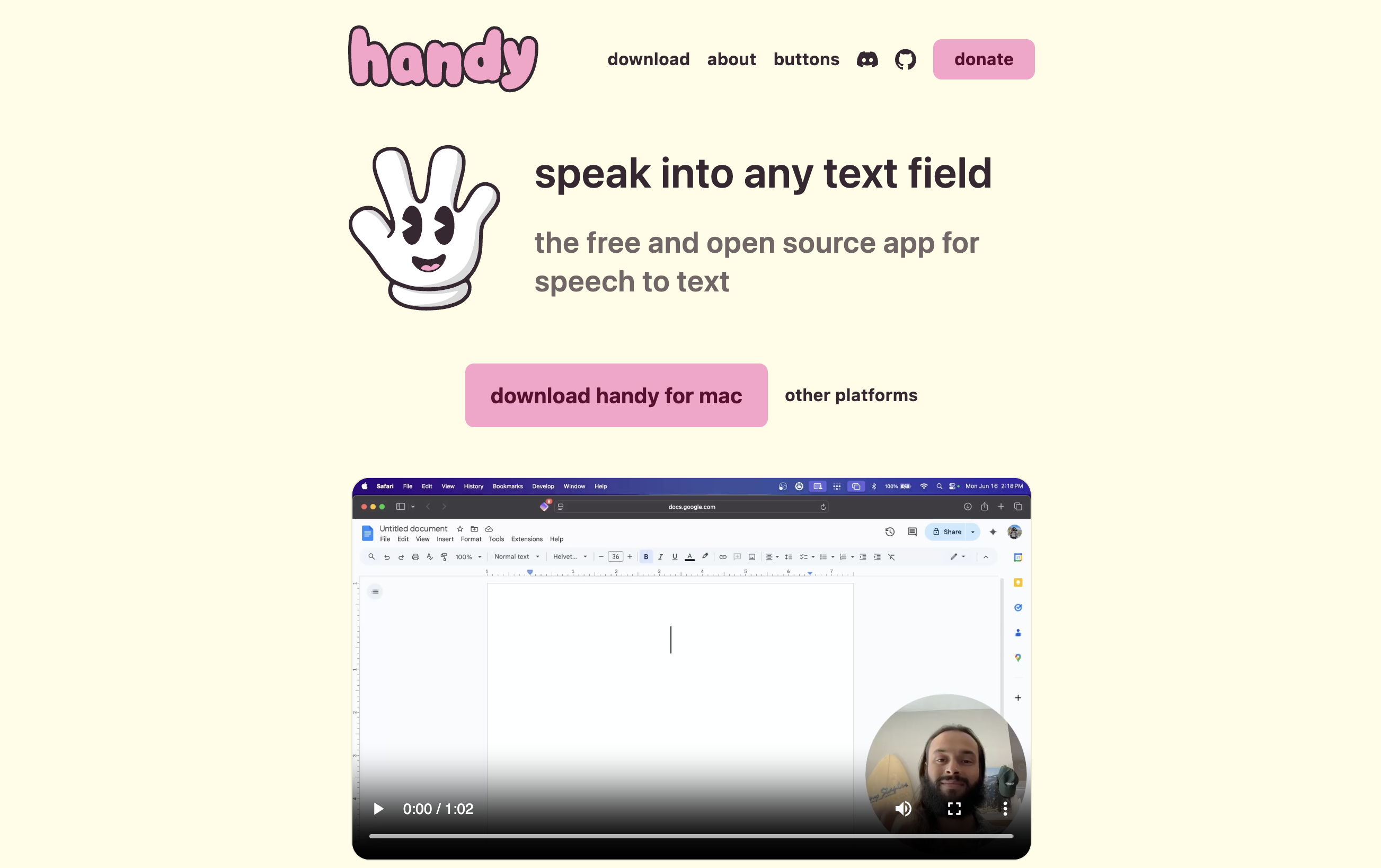
Handy is a free, MIT-licensed, cross-platform on-device dictation application written in Rust by maintainer cjpais (Chris Pais). The repository at github.com/cjpais/Handy has 22,435 stars as of May 27, 2026 — the highest star count of any actively maintained dictation tool in this guide — with the last commit pushed on May 23, 2026. The project description is "A free, open source, and extensible speech-to-text application that works completely offline." For users who need a Wispr Flow alternative on Mac and Windows and Linux from the same codebase, Handy is the strongest current option. Our deeper Handy alternatives guide covers when other tools fit better.
Key Features:
- True cross-platform binaries for macOS, Windows, and Linux from a single Rust codebase
- 100% on-device speech recognition using Whisper models locally
- MIT license — most permissive of any tool in this guide, freely usable in derivative works
- Push-to-talk hotkey activation
- System-wide dictation across any application
- Active commit cadence with multiple contributors
- Extensible plugin architecture for community contributions
- Apple Silicon and ARM optimization on supported platforms
Pros:
- Highest star count in the OSS dictation category (22,435 stars — community-validated signal)
- MIT license is the most permissive — companies, individuals, and forks all benefit
- Cross-platform: Mac + Windows + Linux from one binary distribution
- Multi-contributor project (107 GitHub contributors as of May 2026) — lowest abandonment risk among the recommendations here
- Free for everyone — no paid tier creates incentive misalignment
- Rust implementation is memory-safe and fast — performance peer to native Mac apps
Cons:
- Unsigned binaries on macOS require Gatekeeper override on first launch (paid tools handle this for you)
- No commercial support tier — every support request is a GitHub issue
- Less polished onboarding than paid commercial products — model download and hotkey setup are manual steps
- Documentation is community-driven and uneven across platforms (Windows and Linux setup guides are thinner than Mac)
- No mobile app (iOS or Android) — Wispr Flow's mobile reach exceeds Handy's
Pricing: Free. No paid tier, no trial limits, no credit card. Source code at github.com/cjpais/Handy under MIT. Prebuilt binaries at handy.computer.
User Reviews: 22,435 stars on github.com/cjpais/Handy (May 27, 2026). The strongest community-trust signal in the OSS dictation category — higher than Buzz (19,413), VoiceInk (5,099), or any other actively-maintained dictation-specific OSS project we checked.
Best For: Cross-platform users who need on-device dictation on Mac and Windows and Linux from a single codebase, with a permissive MIT license and the strongest community-trust signal in the OSS ecosystem.
3. VoiceTypr — Mac + Windows AGPL v3.0 Alternative with Paid Binary Path
VoiceTypr is a cross-platform Mac and Windows dictation tool by solo founder Moinul Moin, licensed under GNU Affero General Public License v3.0. The repository at github.com/moinulmoin/voicetypr has 386 stars as of May 27, 2026 with the last commit pushed on May 21, 2026. The product positions itself directly as "an alternative to Wispr Flow and Superwhisper" and ships native binaries for both Mac (macOS 13+) and Windows (Windows 10+) under a paid-binary, source-available business model parallel to VoiceInk. The author explains the motivation simply: "paying a monthly fee for basic dictation didn't feel right."
Key Features:
- Native binaries for macOS 13+ and Windows 10+ from a unified codebase
- 100% offline local transcription by default — no cloud dependency
- AGPL v3.0 license — strongest copyleft, network-use triggers source obligations
- System-wide dictation across any application
- 3-day free trial on paid binary, no credit card required
- $59 lifetime per device — one-time payment, no subscription
- Source-buildable from github.com/moinulmoin/voicetypr
- Solo founder maintenance with active commit cadence
Pros:
- Cross-platform Mac + Windows — narrower platform set than Handy but more polished UX on both
- AGPL v3.0 is the strongest copyleft license — protects derivative works against proprietary closure
- Paid binary path ($59 lifetime) supports the maintainer with a sustainable revenue model
- Free 3-day trial lets you verify fit before paying
- One-time pricing — no recurring subscription
- Active commit cadence as of May 2026
Cons:
- Smaller community signal (386 stars) compared to Handy (22,435) or VoiceInk (5,099) — slightly higher abandonment risk if the solo maintainer's attention shifts
- No Linux support (Mac and Windows only)
- AGPL v3.0 is restrictive for commercial derivative works — companies wanting to integrate it into a closed-source product cannot, while MIT licenses (Handy) and GPL v3.0 (VoiceInk) are easier or harder depending on use case
- $59 per device adds up for multi-device users versus Voibe's $149 lifetime spanning multiple Macs
- No iOS, Android, or Chrome extension
Pricing: 3-day free trial (no credit card). $59 lifetime per device — one Mac or one Windows install. Free source build from github.com/moinulmoin/voicetypr under AGPL v3.0.
User Reviews: 386 stars on github.com/moinulmoin/voicetypr (May 27, 2026). Smaller community than Handy or VoiceInk; the active commit cadence is the stronger signal here.
Best For: Users who need a Mac + Windows OSS dictation tool with paid-binary support, are comfortable with the AGPL v3.0 license terms, and want a one-time payment versus Wispr Flow's annual subscription.
4. OpenWhispr — Cross-Platform MIT Dictation with BYOK Cloud Models

OpenWhispr is a cross-platform MIT-licensed dictation application at github.com/OpenWhispr/openwhispr. The repository has 3,394 stars as of May 27, 2026 with the last commit pushed on May 20, 2026 and active multi-contributor development. The product description is "Voice-to-text dictation app with local (Nvidia Parakeet/Whisper) and cloud models (BYOK). Privacy-first and available cross-platform." Distribution is through openwhispr.com or built from source.
Key Features:
- Cross-platform Mac, Windows, and Linux from one codebase
- Local on-device Whisper models for privacy-default workflows
- Optional Nvidia Parakeet support for users with compatible GPUs
- Bring-your-own-key (BYOK) cloud support for OpenAI Whisper API or other cloud models
- MIT license — permissive, freely embeddable in derivative work
- Global hotkey activation
- Active multi-contributor development
Pros:
- BYOK cloud support is a genuine differentiator — opt-in cloud accuracy without committing to a managed cloud product
- Cross-platform binaries for Mac, Windows, and Linux
- MIT license matches Handy's permissiveness
- Active multi-contributor development with 3,394 stars
- Nvidia Parakeet support is the most distinctive feature in the OSS category
Cons:
- BYOK cloud means you're billed by OpenAI or another provider — the architecture solves the "bundle" problem but trades it for a metered-API cost that's hard to predict
- Lower star count than Handy (3,394 vs. 22,435) — smaller community
- Nvidia Parakeet path requires compatible Nvidia GPU and CUDA toolkit — non-trivial setup
- Documentation is uneven across platforms
- API key storage handling is the user's responsibility — read the docs to confirm where keys are stored
Pricing: Free. Source at github.com/OpenWhispr/openwhispr under MIT. Note: BYOK cloud usage is billed by your chosen API provider (OpenAI Whisper API is ~$0.006/minute).
User Reviews: 3,394 stars on github.com/OpenWhispr/openwhispr (May 27, 2026). Strong multi-contributor signal — more diverse maintenance signal than solo-developer projects.
Best For: Cross-platform users who want optional cloud accuracy with their own API key, GPU-equipped users wanting Nvidia Parakeet, or anyone who prefers the BYOK model to managed cloud products like Wispr Flow.
5. nerd-dictation — Canonical Linux Open Source Dictation (Vosk-Based)
nerd-dictation is a Python-based dictation tool for Linux at github.com/ideasman42/nerd-dictation, licensed under GNU General Public License v3.0. The repository has 1,848 stars as of May 27, 2026 with the last commit pushed on October 10, 2025 — roughly seven months before this article. Maintainer ideasman42 (Campbell Barton) is a long-time Blender Foundation core developer; the project is described as "Simple, hackable offline speech to text - using the VOSK-API."
Key Features:
- Linux-native (works on most distributions with X11 or Wayland)
- VOSK speech recognition engine (not Whisper) — faster on lower-spec hardware
- Hackable Python implementation — scriptable, configurable, and forkable
- GPL v3.0 license
- Multiple keybinding configurations supported
- Output via xdotool, ydotool, or piped to other tools
- Small footprint (~131 KB repo)
Pros:
- The canonical Linux OSS dictation choice — most-referenced in Linux community guides
- VOSK engine is faster than Whisper on lower-spec hardware (older laptops, ARM SBCs)
- Highly hackable — Python implementation invites scripting and custom integration
- Small repo size makes auditing the entire codebase tractable
- Maintained by a respected long-time Blender contributor
Cons:
- Maintenance is slowing: the last commit was October 10, 2025 — about seven months ago at time of writing. Not abandoned, but the pace has dropped versus 2023-2024 activity
- VOSK accuracy is below Whisper for most English-language dictation — newer Linux projects (Handy, Speech Note) using Whisper outperform on accuracy
- Linux-only (no Mac, no Windows)
- Command-line oriented — requires familiarity with shell, xdotool, and Python virtualenv
- No graphical UI for non-technical users
Pricing: Free. Source at github.com/ideasman42/nerd-dictation under GPL v3.0.
User Reviews: 1,848 stars on github.com/ideasman42/nerd-dictation (May 27, 2026). Star count is moderate; the maintainer reputation (Blender Foundation core dev) adds non-numeric signal.
Best For: Linux users who are comfortable with the command line, want a hackable Python implementation, and prefer VOSK over Whisper for lower-spec hardware. If you want a more actively maintained Linux option, Handy or Speech Note are stronger picks; if you want hackability and Linux purism, nerd-dictation remains the canonical reference.
6. Speech Note (dsnote) — Polished Linux GTK Speech Toolkit
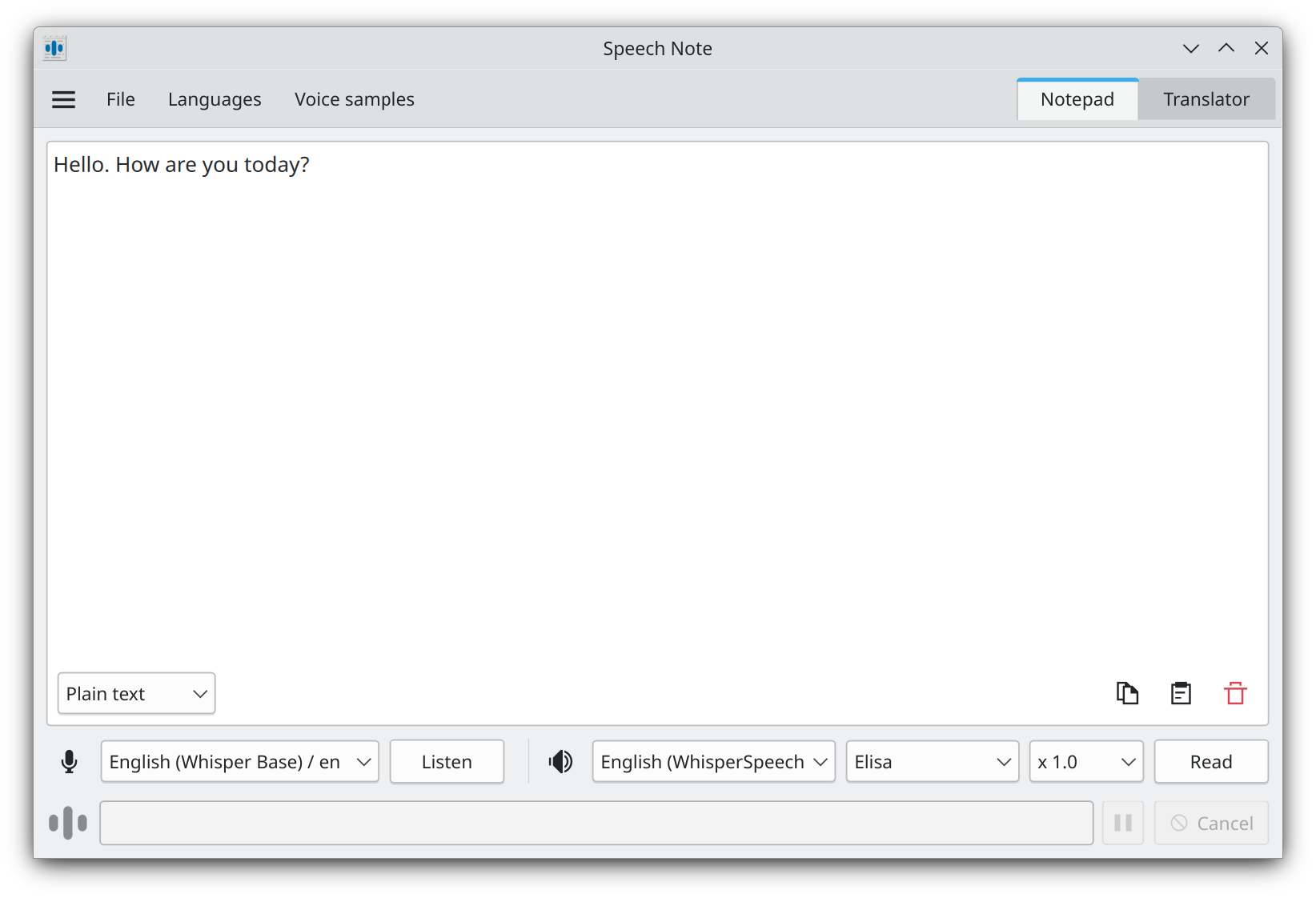
Speech Note is a GTK desktop application for Linux at github.com/mkiol/dsnote, licensed under Mozilla Public License 2.0. The repository has 1,471 stars as of May 27, 2026 with the last commit pushed on May 23, 2026 — active weekly cadence. Maintainer mkiol describes it as "Speech Note Linux app. Note taking, reading and translating with offline Speech to Text, Text to Speech and Machine translation." The application supports multiple speech recognition backends (Whisper, faster-whisper, VOSK, Coqui) and is distributed as a Flatpak for cross-distribution compatibility.
Key Features:
- Polished GTK desktop UI — visually integrated into GNOME and KDE Linux desktops
- Multi-engine support: Whisper, faster-whisper, VOSK, Coqui
- Speech-to-text, text-to-speech, and machine translation in one application
- Flatpak distribution — installs cleanly on any modern Linux distribution
- MPL 2.0 license — file-level copyleft, less restrictive than GPL
- Multiple language models including Whisper Large v3
- Active multi-engine architecture (you can switch backends per-job)
Pros:
- The most polished Linux dictation UI among OSS options — better visual fit than nerd-dictation's command-line approach
- Multi-engine support gives you Whisper accuracy when you want it and VOSK speed when you want that
- Flatpak distribution removes per-distribution packaging pain
- Active commit cadence (last push May 23, 2026)
- Includes text-to-speech and translation features beyond pure dictation
Cons:
- Linux-only (no Mac, no Windows)
- Smaller community signal (1,471 stars) than Handy (22,435) — but active maintainer
- GTK-first UI feels less native on KDE/Qt-based desktops
- Lead-maintainer-driven project (19 contributors); the architectural direction depends on mkiol's continued attention
- System-wide dictation behavior on Wayland depends on compositor support (compositor-specific issues persist)
Pricing: Free. Source at github.com/mkiol/dsnote under MPL 2.0. Flatpak distribution at Flathub.
User Reviews: 1,471 stars on github.com/mkiol/dsnote (May 27, 2026). Smaller community than Handy but active maintainer signal is strong.
Best For: Linux users who want a polished GTK UI rather than a command-line tool, multi-engine flexibility (Whisper, faster-whisper, VOSK, Coqui), and integrated text-to-speech plus translation features alongside dictation.
7. Buzz — Open Source File Transcription Cousin to Live Dictation
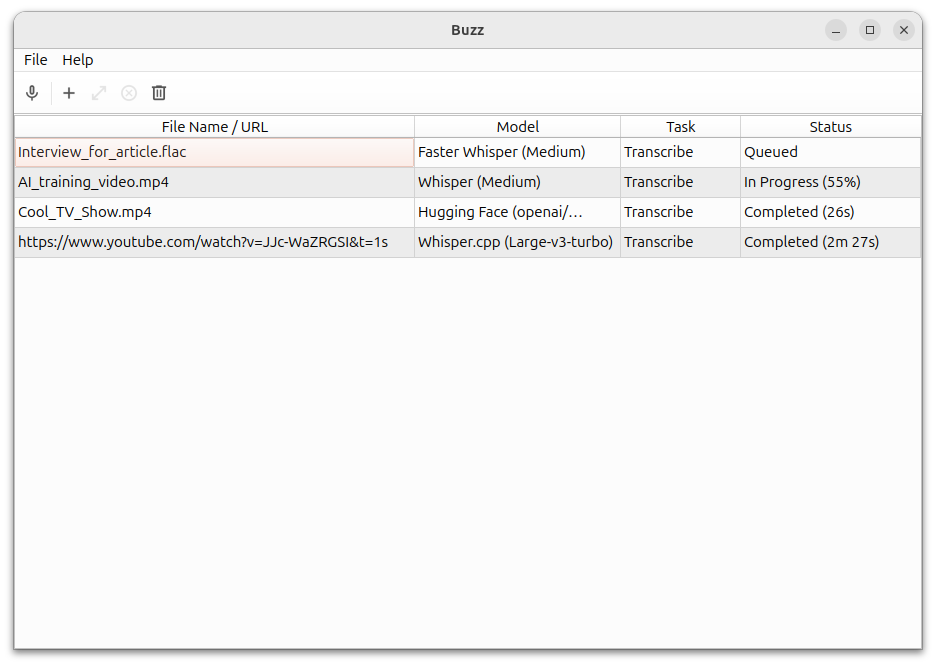
Buzz is a cross-platform desktop GUI for Whisper transcription at github.com/chidiwilliams/buzz, licensed under MIT. The repository has 19,413 stars as of May 27, 2026 with the last commit pushed on May 16, 2026. Maintainer chidiwilliams (Chidi Williams) describes the project as "Buzz transcribes and translates audio offline on your personal computer. Powered by OpenAI's Whisper." Buzz is included in this guide for completeness because it appears in Wispr Flow alternative searches — but be honest with yourself about the use case: Buzz is purpose-built for file transcription, not live system-wide dictation. It is the cousin tool that pairs with the live dictation tools above, not a one-to-one Wispr Flow replacement.
Key Features:
- Drop-in file transcription for audio and video files (MP3, MP4, WAV, M4A, MOV, AVI, MKV)
- Live microphone transcription into Buzz's own viewer window (with optional presentation window for events)
- Translation support across 100+ languages via Whisper
- MIT license
- Cross-platform: Mac, Windows, Linux
- Multiple Whisper model sizes (Tiny to Large v3)
- 31 GitHub contributors with active multi-contributor development
- Hugging Face and OpenAI API integration options
Pros:
- Strong community-trust signal (19,413 stars, second only to Handy in this guide)
- Multi-contributor development (31 contributors) reduces solo-maintainer abandonment risk
- Cross-platform binaries for Mac, Windows, Linux
- MIT license matches Handy on permissiveness
- Excellent for recorded meeting and interview transcription workflows
- Multi-language and translation support
Cons:
- Buzz does not type into other applications. Mic-input mode transcribes audio into Buzz's own viewer window, not into the cursor of Microsoft Word, Outlook, Slack, your browser, or any other frontmost app. This is the architectural difference from every other tool in this guide.
- Workflow is: record or import audio → transcribe to text in Buzz → manually copy/paste the output. Not "speak and the text appears in the app you are using."
- Not a Wispr Flow replacement for the system-wide dictation workflow Wispr Flow is built around
- Wrong tool entirely for short bursts of dictation in email or documents
Pricing: Free. Source at github.com/chidiwilliams/buzz under MIT. Distribution at chidiwilliams.github.io/buzz.
User Reviews: 19,413 stars on github.com/chidiwilliams/buzz (May 27, 2026). Second-highest in this guide after Handy.
Best For: Anyone who needs to transcribe recorded audio or video files (meetings, interviews, lectures, podcasts) and wants an MIT-licensed, cross-platform, actively maintained tool. Pair with a live dictation tool from this guide for the "speak as you go" workflow Buzz is not designed for.
8. Talon Voice — Freemium Voice-Controlled Computing Framework

Talon Voice (talonvoice.com) is a voice-controlled computing framework maintained by Ryan Hileman (known as lunixbochs on GitHub). Talon is not strictly open-source — the core engine is a proprietary closed-source binary. What is open is the surrounding community ecosystem: the talonhub/community configuration repository (MIT-licensed), awesome-talon resource lists, and the third-party command sets and scripts contributors maintain. The funding model is donation-based: the core download is free for everyone, and Patreon supporters receive early access to beta features and higher-priority support — but there is no hard feature paywall on the main download.
Key Features:
- Voice-controlled OS computing beyond dictation — keyboard shortcuts, mouse control, app switching all by voice
- Industrial-strength accessibility tool — widely used by developers with repetitive strain injury (RSI)
- Cross-platform: Mac, Windows, and Linux from the same alpha binary
- MIT-licensed community configuration repository (talonhub/community)
- Conformer-2, Whisper, and other backend options
- Highly extensible via Python scripting layer
- Active community on Slack with deep technical support
Pros:
- Category-defining tool for full voice-controlled coding and OS computing — no peer matches Talon's depth
- Battle-tested for accessibility — developers with RSI, mobility limitations, and chronic injuries are among the most committed user base
- Free alpha tier covers most users; Patreon support gates only newer features, not core capability
- Cross-platform from one codebase
- MIT-licensed community config repository — your customizations stay portable
Cons:
- Not strictly open-source: the core engine binary is proprietary. For users whose threat model requires source-auditable code, Talon does not meet the bar
- Steep learning curve — Talon is a voice computing framework, not just a dictation tool
- Beta features and higher-priority support are gated to Patreon supporters — not a hard paywall on core capability, but ongoing payment is part of the model if you want the newest backends and priority response
- Solo maintainer (Ryan Hileman) — strongest reputation in the category but a single point of failure
- Configuration is text-file-driven, not GUI — non-technical users find onboarding harder than VoiceInk or Handy
Pricing: Alpha version free for everyone. Beta access via Ryan Hileman's Patreon (typical tiers start at $5/month, equivalent to approximately $180 over three years if you stay subscribed continuously).
User Reviews: Not GitHub-star measurable (the core is closed-source). The signal is the third-party ecosystem — the awesome-talon directory lists dozens of community projects built on Talon, and the Slack community is among the most active in the voice-computing category.
Best For: Developers using voice for coding (Python, VS Code, IDEs), users with RSI or mobility constraints who need full voice-controlled OS computing, and anyone willing to invest in the steeper learning curve for category-defining capabilities. Not the right tool if you simply want "dictation that replaces typing in Word or email" — VoiceInk or Handy fit that workflow better and are easier to set up. For an honest comparison of Talon against pure dictation tools, see our best dictation software for developers guide.
The Maintained-Product Alternative: When On-Device Dictation Without the OSS Trade-offs Matters
The open-source tools above are credible answers if the trade-offs match your workflow: you have setup-time tolerance, you accept a GitHub-issue support model, and you accept the abandonment-risk profile of indie OSS. For users whose priorities are on-device dictation privacy and long-term reliability — but who do not want to negotiate Homebrew installs, build-from-source paths, or maintainer-attention uncertainty — Voibe is the maintained-product alternative.
What Voibe gives you that the OSS path does not:
- Email support with a real entity behind it. When something breaks at 4 PM on a deadline day, there is a support address you can email. The OSS path is GitHub issues and Discord.
- Polished installer with code-signed binary. Two-minute setup: download, drag to Applications, grant permissions, dictate. No Xcode, no Homebrew, no Python virtualenv, no Whisper model command-line download — the installer handles the model and the permissions.
- Maintained product roadmap. Voibe has a dedicated team rather than a solo volunteer maintainer. Apple Silicon updates, macOS updates, and Whisper model upgrades arrive on a schedule, not whenever the maintainer has spare time.
- Developer Mode for VS Code and Cursor. File-and-folder-name resolution inside the editor — Voibe knows your workspace and dictates code-relevant names accurately. No OSS dictation tool on this list ships an equivalent IDE-aware mode out of the box.
- One-time payment, no subscription. $149 lifetime (live-site promo) — pay once, use forever, parallel to how OSS tools stay accessible long-term but with maintained-product support attached.
What Voibe does not give you that the OSS path does:
- Voibe is not open-source. You cannot read the source code, you cannot fork the project, you cannot build it yourself, and the license cannot be inherited or extended.
- Voibe is Mac-only on Apple Silicon (M1 through M4). If you need Windows or Linux, Handy or VoiceTypr or OpenWhispr are stronger choices.
- Voibe is a paid product — $149 lifetime is not free. The fully-free OSS path (Handy, OpenWhispr, nerd-dictation, Speech Note, Buzz) costs $0 in license fees.
The honest framing: the architectural privacy benefit of running speech recognition on-device is identical between Voibe and the open-source tools above — your audio never leaves your Mac. The difference is what you pay for that privacy and what you get with it. The OSS path costs $0 to $59 in license fees and gives you source-auditable code, community-driven support, and the abandonment-risk profile of indie open-source. Voibe at $149 lifetime gives you the same on-device privacy with a polished installer, email support, Developer Mode for IDEs, and a maintained-product roadmap. Pick the path that matches what you value.
3-year cost comparison:
- Wispr Flow Pro Annual: $432 ($144/yr × 3) — cloud-routed, 5-subprocessor chain, recurring
- Voibe lifetime: $149 — on-device, maintained product, one-time payment (saves $283 / 65% vs. Wispr Flow)
- VoiceInk Solo: $25 — on-device, source-available, paid binary supports solo maintainer
- VoiceTypr lifetime: $59 — on-device, AGPL v3.0, solo founder maintenance
- Handy / OpenWhispr / nerd-dictation / Speech Note / Buzz: $0 — on-device or file-transcription, community-maintained
Voibe's wedge versus the free OSS path is not price; it is the maintained-product support and the polished onboarding. Voibe's wedge versus Wispr Flow is the architectural data path (no subprocessor chain) plus the $283 three-year saving plus the one-time payment removing renewal risk. Try Voibe for free →
Info
Voibe is not open-source. If source-auditable code is a hard requirement for your threat model — corporate IT review, supply-chain attestation, or simply "I want to read the code" — VoiceInk (GPL v3.0) on Mac or Handy (MIT) cross-platform are stronger picks. If maintained-product support and polished onboarding matter more, Voibe is the parallel path.
How to Choose: 5-Question Decision Tree
Five questions resolve to a recommendation in two minutes.
Question 1: What platform do you need?
- Mac only → Continue to Question 2.
- Mac + Windows → Handy (MIT, free) or VoiceTypr ($59 lifetime, AGPL v3.0). Skip to Question 4.
- Linux → Handy (MIT, free) or Speech Note (MPL 2.0, free) for active maintenance. nerd-dictation (GPL v3.0, free) if you prefer Python and command-line. Skip to Question 5.
- Cross-platform including iOS/Android → No OSS tool covers all five Wispr Flow platforms. Stay on Wispr Flow Pro with signed BAA + Privacy Mode locked on, or split: Voibe on Mac + Wispr Flow on mobile.
Question 2: Is source-auditable code a hard requirement (Mac path)?
- Yes — must read the source → VoiceInk (GPL v3.0). Build from source for free, or buy a binary for $25-49 to support the maintainer.
- No — maintained product support matters more → Voibe at $149 lifetime. Same on-device privacy without the OSS setup tax or abandonment risk.
Question 3: How comfortable are you with setup?
- I can run Xcode, Homebrew, and command-line tools → Build VoiceInk, Handy, or nerd-dictation from source. Setup is 20-60 minutes.
- I want a code-signed installer that just works → VoiceInk paid binary ($25-49), VoiceTypr paid binary ($59), or Voibe lifetime ($149). Setup is 2-5 minutes.
- I do not want to manage Whisper models or accessibility permissions → Voibe — the installer handles the model and the permissions in one flow.
Question 4: What is your budget over 3 years?
- $0 license fees → Handy or OpenWhispr cross-platform; nerd-dictation, Speech Note, or Buzz for specific Linux or file-transcription use cases.
- Under $100 → VoiceInk Solo ($25), Personal ($39), or Extended ($49) for Mac; VoiceTypr ($59) for Mac + Windows.
- $100-200 with maintained-product support included → Voibe lifetime ($149) for Mac, which removes setup tax and abandonment risk.
- $200+ for cross-platform polish across 5 devices → Wispr Flow Pro Annual ($432 over 3 years) with signed BAA + Privacy Mode locked on for non-sensitive work, plus an on-device tool for sensitive work.
Question 5: Do you need real-time dictation, file transcription, or both?
- Real-time dictation only → VoiceInk, Handy, VoiceTypr, OpenWhispr, nerd-dictation, Speech Note, Talon Voice, or Voibe.
- File transcription only (meetings, interviews) → Buzz (MIT, free, 19,413 stars, active).
- Both → Pair a live dictation tool (Handy or Voibe) with Buzz. Total cost: $0 (Handy + Buzz) or $149 (Voibe + Buzz). Wispr Flow does neither file transcription itself, so this pairing is required either way.
Key Takeaway
The five-question tree resolves most situations: platform → source-auditable requirement → setup tolerance → budget → real-time vs. file. The honest path is to match the tool to your actual constraints rather than picking by star count alone — a 22,435-star tool whose setup tax you cannot pay is worse than a 5,099-star tool whose installer just works.
Best Tool for Your Situation: Use-Case Cheat Sheet
- Mac developer who wants source-auditable on-device dictation → VoiceInk source build (GPL v3.0, free). Build with Xcode, audit the codebase, dictate.
- Mac knowledge worker who wants polished installer with email support → Voibe lifetime ($149). Two-minute install, dictate in any app, on-device privacy preserved.
- Cross-platform Mac + Windows user who wants free OSS → Handy (MIT, free, 22,435 stars). Mac, Windows, and Linux from one binary.
- Cross-platform Mac + Windows user who wants paid OSS support → VoiceTypr ($59 lifetime, AGPL v3.0). Solo founder, active maintenance, paid-binary path.
- Linux user who wants a polished GUI → Speech Note (MPL 2.0, free). GTK desktop integration, Flatpak distribution, multi-engine.
- Linux user who wants command-line scriptability → nerd-dictation (GPL v3.0, free). Python-hackable, VOSK-based, shell-pipeline friendly. Note: maintenance is slowing as of late 2025.
- User with RSI who needs voice-controlled OS computing → Talon Voice. Free alpha, Patreon-gated beta. Steeper learning curve, deeper capability.
- Meeting recordings, interview audio, podcast transcription → Buzz (MIT, free). Drop in a file, get a transcript. Pair with a live dictation tool from this guide.
- Want BYOK cloud accuracy without managed subscription → OpenWhispr (MIT, free + your API costs). Local Whisper or Parakeet plus optional cloud BYOK.
- Cross-platform team that needs Mac + Windows + iOS + Android polish → Wispr Flow Pro ($144/yr, $432/3yr) with signed BAA + Privacy Mode locked on. Then audit which audio actually needs that cross-platform reach versus what could move on-device.
- Switching from a dormant OSS dictation tool (savbell/whisper-writer, etc.) → Handy if you need cross-platform, Voibe if you want maintained-product support and are on Mac.
- Educator or student on Mac with $0 budget → VoiceInk source build (free), Apple Dictation (built-in, free), or wait for Voibe's free tier (300 words/day) to fit short-form use.
Key Takeaway
The cheat sheet maps 12 concrete situations to specific tools. Pick by what you are optimizing for — source auditability, polished onboarding, cross-platform reach, file vs. live, free vs. paid — not by which tool has the most stars or the loudest marketing.
Frequently Asked Questions
Questions organized into four themes: Open Source Basics, Privacy & Architecture, Pricing & Cost, and Long-Term Viability.
Open Source Basics
What is the best fully open-source alternative to Wispr Flow?
The best fully open-source Wispr Flow alternative depends on platform. On Mac, VoiceInk (GPL v3.0) is the closest one-to-one replacement — same real-time dictation job, source code on GitHub, 5,099 stars, daily commits as of May 2026. Cross-platform, Handy (MIT) is the strongest pick — Mac, Windows, and Linux from one Rust codebase, 22,435 stars, and the most permissive license among the tools in this guide. Both are fully open-source and both run speech recognition entirely on-device.
Which OSS license should I prefer: MIT, GPL v3.0, AGPL v3.0, or MPL 2.0?
For personal use, the four licenses are functionally equivalent — you get the source code and you can run the tool. For modification and redistribution, the licenses differ in copyleft strength. MIT (Handy, OpenWhispr, Buzz) is most permissive and freely embeddable in derivative works including proprietary products. GPL v3.0 (VoiceInk, nerd-dictation) requires derivative works to be GPL — strong copyleft. AGPL v3.0 (VoiceTypr) extends GPL's reach to network use — derivative works exposed over a network must publish source. MPL 2.0 (Speech Note) is file-level copyleft, weaker than GPL.
Can I trust open-source dictation tools more than Wispr Flow?
It depends on what you mean by trust. For verifiability — "can I read the code and confirm what it does with my audio" — open-source tools provide a stronger primitive than any vendor privacy policy. For continuity — "will this still work in five years" — Wispr Flow's venture backing and dedicated team provide stronger guarantees than most solo-maintainer OSS projects. The honest framing is that OSS gives you architectural verifiability and Wispr Flow gives you commercial continuity; pick which matters more for your workflow.
Privacy & Architecture
How is open-source dictation more private than Wispr Flow?
Open-source dictation tools listed in this guide run Whisper or VOSK speech recognition entirely on your local device. There is no Baseten transcription step, no OpenAI/Anthropic/Cerebras text Polish step, no AWS storage, and no subprocessor chain. Wispr Flow's published subprocessor list documents at least five cloud vendors that handle dictation data by default. The OSS path eliminates the entire cloud surface for both performance and privacy reasons.
Does Voibe run open-source models even though it is closed-source?
Yes. Voibe uses OpenAI Whisper models — released under the MIT license — running locally on Apple Silicon via whisper.cpp and CoreML. The Whisper model itself is open-source; what is closed-source in Voibe is the application code that wraps the model and provides the system-wide dictation, hotkey, custom vocabulary, and Developer Mode integrations. Architecturally Voibe is on-device in the same sense as VoiceInk, Handy, or VoiceTypr — audio never leaves your Mac. The difference is the application layer above the model: Voibe is a maintained commercial product; the OSS tools are open-source applications wrapping the same underlying Whisper model.
If the OSS tool is on-device, why do I need HIPAA or SOC 2?
You may not. HIPAA and SOC 2 are attestations about what a vendor does with your data on their infrastructure. If the OSS tool keeps data entirely on your device, there is no vendor infrastructure to attest about — the compliance question moves to your own device management practices. For organizations with formal compliance mandates (regulated industries, enterprise IT), the lack of a vendor SOC 2 or HIPAA BAA may still be a procurement blocker even if the architectural posture is stronger than a SOC-2-attested cloud product. Document the architectural reasoning if you go OSS in a regulated context.
Pricing & Cost
Are open-source dictation tools really free?
The license fees are free for fully-free options (Handy, OpenWhispr, nerd-dictation, Speech Note, Buzz). The hidden costs are setup time (4 to 12 hours depending on tool), ongoing maintenance attention (model updates, OS-compatibility fixes), and the time cost when something breaks during work. Paid OSS binaries (VoiceInk $25-49, VoiceTypr $59) buy you a code-signed installer plus implicit support of the maintainer. Voibe at $149 lifetime buys you a maintained product with email support plus none of the OSS abandonment risk — and saves $283 (65%) versus Wispr Flow Pro Annual over three years.
How does Voibe pricing compare to OSS paid binaries?
Voibe lifetime is $149 (live-site promo) for unlimited Macs the user controls. VoiceInk Extended is $49 for three Macs. VoiceTypr is $59 lifetime per device. The price gap reflects the support model: Voibe ships with email support, a maintained roadmap, and Developer Mode for VS Code and Cursor that the OSS binaries do not include. For a single-Mac user prioritizing minimum cost with on-device privacy, VoiceInk Solo at $25 is the cheapest paid path; for multi-device or support-included needs, Voibe at $149 lifetime is the simpler answer.
Long-Term Viability
How do I tell if an open-source dictation project will be maintained?
Two GitHub-visible signals are the most useful proxies: star count (community size) and last-commit recency (maintainer attention). As of May 2026, the strongest combined signal in this guide is Handy (22,435 stars, weekly commits). Active green-zone projects: VoiceInk, Handy, Buzz, OpenWhispr, VoiceTypr, Speech Note. Slowing yellow-zone: nerd-dictation (last commit October 2025). Dormant red-zone (not recommended in this guide): savbell/whisper-writer (last commit August 2024). Multi-contributor projects are safer than solo-maintainer projects on long horizons.
What happens to my workflow if the OSS tool I depend on goes dormant?
The existing build still runs — OSS dormancy does not delete the binary you already installed. The risk is that future OS updates, Whisper model upgrades, or accessibility API changes will break the tool, and there will be no maintainer to ship the fix. For users dependent on dictation for daily work, plan for this: keep the OSS tool as your daily driver if it works, but maintain awareness of an alternative (or a maintained product like Voibe) you can switch to within 24 hours if the dormant tool breaks. Forks of popular dormant projects (like the savbell/whisper-writer forks) are an interim option, but their maintenance is even thinner than the original.
Is it worth switching from Wispr Flow Pro to an OSS alternative for the cost savings?
For most knowledge workers, yes — but the math is more honest if you include setup time. Wispr Flow Pro Annual is $432 over three years. Switching to a fully-free OSS tool (Handy) saves the entire $432 in license fees but costs 4 to 12 hours of setup. Switching to VoiceInk Solo at $25 saves $407 (94%) and the setup is closer to 10 to 20 minutes. Switching to Voibe lifetime at $149 saves $283 (65%) and the setup is 2 to 5 minutes with email support included. Run the math on what your time is worth and pick the path that matches.
Final Verdict: Match the Tool to Your Setup and Support Tolerance
The best open-source Wispr Flow alternative in 2026 depends on what you are willing to trade for the license fee savings.
If you can run Xcode, build from source, and tolerate community-only support → VoiceInk on Mac, Handy cross-platform. Both are credible Wispr Flow replacements with strong maintenance signals and active communities.
If you need source auditability for compliance review → VoiceInk (GPL v3.0) or Handy (MIT) give you the strongest position. Document the architectural reasoning for your IT or compliance team — "the code is auditable and runs entirely on-device" is a stronger primitive than "the vendor has SOC 2."
If you want on-device dictation privacy without the OSS setup tax or abandonment risk → Voibe at $149 lifetime. Same on-device privacy as the OSS tools above, with email support, a polished installer, a maintained roadmap, and Developer Mode for VS Code and Cursor that the OSS tools do not ship. Saves $283 (65%) versus Wispr Flow Pro Annual over three years and removes the setup-tax + abandonment-risk trade-offs. Try Voibe for free →
If you need cross-platform reach including iOS and Android → No OSS tool covers Wispr Flow's full five-platform set. Stay on Wispr Flow Pro with signed BAA + Privacy Mode locked on for the cross-platform work, and add an on-device tool (Voibe on Mac, Handy on Windows or Linux) for the sensitive work that does not need the mobile reach.
The honest framing is that all of the tools in this guide are legitimate choices — none is universally best. The strongest signal of a credible OSS dictation project is the combination of high star count and active commit cadence. The strongest signal of a credible maintained-product alternative is the combination of on-device architecture and a real support address. Pick the path that matches what you value.
Related reading: Wispr Flow Review · Is Wispr Flow Safe? · Wispr Flow Pricing · VoiceInk Alternatives · VoiceInk Review · Handy Alternatives · Cloud vs Local Dictation · Best Dictation Software for Developers · OpenAI Whisper vs Wispr Flow · Best Wispr Flow Alternatives for Lawyers
Ready to type 3x faster?
Voibe is the fastest, most private dictation app for Mac. Try it today.
Related Articles
8 Best Spokenly Alternatives for Mac in 2026 (Reviewed)
Compare the top Spokenly alternatives for Mac dictation in 2026. Reviews of Voibe, VoiceInk, Superwhisper, MacWhisper, and more with pricing, features, and BYOK trade-offs.
7 Best Dictation Software for Developers (2026)
Best dictation software for developers in 2026. 7 tools compared on Developer Mode file/folder resolution, on-device privacy for proprietary code, IDE integration with Cursor and VS Code, RSI-friendly activation, and price.
Best Wispr Flow Alternatives for Lawyers and Small Law Firms (2026)
8 Wispr Flow alternatives for lawyers (2026): on-device dictation, HIPAA-aligned cloud, and legal-vocabulary tools compared on privilege exposure, post-Delve compliance, and 3-year TCO.