
11 Best Superwhisper Alternatives in 2026 (Reviewed)
TL;DR
Superwhisper offers strong offline privacy but requires manual cleanup, complex setup, and costs $249 lifetime. This guide covers 11 better alternatives including Voibe ($99 lifetime with cleaner transcripts), VoiceInk (free/open-source), and cross-platform options that fix Superwhisper's biggest pain points.
Superwhisper looks perfect on paper. Offline transcription. Strong privacy. Serious power.
But once you start using it, the cracks show.
An hour-long dictation turns into another 10 minutes of manual cleanup. Punctuation's off. Formatting's messy. And getting started? You're buried under settings that feel more like configuring a server than opening a dictation app.
Yes, Superwhisper nails offline privacy but at a cost. Long transcripts need hands-on editing, the setup is intimidating for casual users, it's Mac-only, and the pricing doesn't help: $249 lifetime or $84.99 per year. At that point, it's fair to ask whether the trade-offs are worth it.
If you're a developer documenting ideas, a writer drafting long-form content, or a researcher transcribing interviews, friction is the last thing you want. You need dictation that works right out of the box with no constant corrections, no technical rabbit holes, and no platform lock-in. The right alternative should deliver Superwhisper-level privacy without the extra hassle.
So we went looking and researched 20+ dictation tools, combed through real user feedback on Reddit, G2, and Product Hunt, and narrowed it down to 11 best Superwhisper alternatives that fix its biggest pain points. From offline privacy champions to cross-platform cloud solutions.
Key Takeaways
| Tool | Best For | Key Strength |
|---|---|---|
| Voibe | Privacy + best value | Offline privacy with $99 lifetime plan (one-time payment) |
| VoiceInk | Open source | Free or $39 one-time, 100% offline |
| Wispr Flow | Cloud polish | Cross-platform with AI cleanup |
| BetterDictation | Budget | $2/month or $24 lifetime |
- Superwhisper users leave primarily for manual cleanup needs, complex setup, and Mac-only limitation
- Voibe offers a $99 lifetime plan (one-time payment) with matching offline privacy and simpler UX, plus annual plans at 48% savings vs Superwhisper
- Free alternatives exist: VoiceInk ($39 one-time or build from source), OpenWispr (completely free cross-platform)
- Cloud options (Wispr Flow, Otter.ai) trade privacy for automatic cleanup and team features
- Developer-specific features (Voibe's Developer Mode) are unique in dictation market
Get started with Voibe to dictate privately without your data leaving your Mac.
Superwhisper vs Traditional Mac Dictation: What's the Difference?
Traditional macOS dictation offers basic speech-to-text using Apple's built-in models. You double-tap Fn, speak, and get transcribed text with decent accuracy. It works offline, requires zero setup, and costs nothing.
AI-powered dictation like Superwhisper uses OpenAI's Whisper models for significantly better accuracy, context-aware formatting, and custom prompts. The average person speaks 150-250 words per minute but types only 40-60 WPM. Voice typing has become reliable enough to replace keyboards for many tasks, with accuracy rates above 95 percent thanks to advanced AI models.
The trade-off: complexity for capability. Traditional dictation works immediately with minimal configuration. AI dictation requires choosing models, setting up modes, and learning customization options.
| Feature | AI Dictation (Superwhisper) | Traditional Mac Dictation |
|---|---|---|
| Accuracy | 95%+ with larger models | 85-90% baseline |
| Context Awareness | Custom prompts, formatting | Limited |
| Offline Processing | Yes (local Whisper models) | Yes (built-in) |
| Setup Complexity | High (model selection, config) | Low (built-in, no setup) |
| Resource Usage | 200-500MB RAM | Minimal |
| Customization | Extensive (modes, prompts) | Minimal |
Modern AI tools deliver the accuracy advantage without requiring you to become a Whisper expert.
The Real Problems with Superwhisper
Superwhisper earns a 4.9/5 rating on Product Hunt for good reason: exceptional accuracy, offline privacy, and powerful customization. But real user reviews reveal consistent frustrations that drive people to alternatives.
Pain Point 1: Manual Transcript Cleanup Required
Superwhisper users consistently report needing to manually clean up transcripts, especially for longer dictations. While the Ultra model offers highest accuracy, it requires significant processing time, and even then, transcripts often require correction for punctuation, formatting, and natural speech patterns.
This handoff problem creates friction between speaking and actually using the output. You dictate for 10 minutes, then spend another 3-5 minutes fixing errors. Modern alternatives like Voibe address this with optimized Whisper models that reduce transcription errors significantly, minimizing cleanup time.
Pain Point 2: Complex Technical Setup Overwhelms Users
Superwhisper's flexibility is a double-edged sword. Power users love the ability to swap Whisper model sizes, create custom modes for different apps, and tweak system prompts. But for users wanting simple dictation, the overwhelming configuration options and technical requirements create a steep learning curve.
One user notes: "I think the only thing that's missing (for someone who uses transcription multiple times a day at some length) is the absence of a pause button." Switching between recording modes can be cumbersome, and accessing all features requires a subscription. Alternatives like Voibe prioritize out-of-box simplicity with zero configuration needed, install and hold the Fn key to start dictating.
Pain Point 3: Mac-Only Platform Limitation
Superwhisper runs exclusively on macOS 13+ and iOS, leaving Windows users without options. For teams working across mixed OS environments, this platform lock-in creates collaboration friction. While the Mac-native approach enables deep system integration, it restricts Superwhisper's reach. Windows users requesting support are told it's not on the roadmap, forcing cross-platform teams to find alternatives.
Pain Point 4: Performance Issues on Older Devices
Older devices aren't really being targeted, and users with Intel Macs or older hardware experience slower transcription speeds. The developer notes that users may have better luck with smaller models, but this sacrifices the accuracy advantage that makes AI dictation worthwhile. This creates a frustrating choice: accept slower performance with accurate models, or sacrifice accuracy for speed.
Pain Point 5: Pricing Premium for Lifetime Access
At $249 lifetime or $84.99/year for Pro features, Superwhisper sits at the premium end of dictation pricing. While the free version offers unlimited access to small AI models (with 15 minutes Pro feature access), better accuracy and unlimited modes require paid plans. Competitors offer similar offline capability with more accessible lifetime pricing. Voibe provides a $99 lifetime plan (60% cheaper than Superwhisper's $249 lifetime), while VoiceInk costs $39 one-time and BetterDictation offers a $24 lifetime option, making Superwhisper's pricing a barrier for budget-conscious users.
How Modern Dictation Tools Solve These Problems
Modern alternatives address Superwhisper's pain points with targeted solutions. Key point: you don't have to choose between privacy and simplicity anymore.
Solution 1: Optimized Models Reduce Manual Cleanup
Modern alternatives use fine-tuned Whisper models optimized for specific use cases. Voibe's optimized processing reduces transcription errors significantly compared to generic Whisper implementations, while Wispr Flow's cloud-based approach leverages GPT-powered post-processing to automatically clean up filler words and formatting. The result: less time fixing transcripts, more time using them.
Solution 2: Out-of-Box Simplicity
The best alternatives prioritize "it just works" over endless configuration. Voibe requires zero setup: install, hold Fn key, speak. No model selection, no prompt engineering, no technical knowledge required. This Apple-like simplicity removes barriers while maintaining Superwhisper-level privacy. You get offline processing without becoming a machine learning engineer.
Solution 3: Cross-Platform Availability
Wispr Flow, Aqua Voice, and others support Windows and Mac, enabling team consistency across platforms. Even Mac-focused tools like Voibe have Windows support on their roadmap, recognizing that modern workflows span multiple operating systems. Cross-platform support eliminates the "we can't use this tool because half our team is on Windows" problem.
Solution 4: Better Pricing Models
Alternatives offer more accessible pricing with lifetime plans. Voibe provides a $99 lifetime option (60% cheaper than Superwhisper's $249 lifetime), while VoiceInk costs $39 one-time and BetterDictation offers a $24 lifetime plan. For those preferring subscriptions, Voibe's annual plan at $44.10/year is 48% cheaper than Superwhisper. Open-source options like Whispering and OpenWispr eliminate costs entirely while maintaining offline privacy. Bottom line: offline dictation doesn't require premium pricing anymore.
What Actually Matters in Dictation Apps
When evaluating Superwhisper alternatives, seven criteria separate great tools from mediocre ones.
1. Privacy Architecture: Local vs Cloud Processing
Offline/local processing keeps voice data on your device, critical for confidential work (legal, medical, proprietary code). Voice recordings can reveal identity, emotional state, health information, and confidential business plans. Cloud processing (Wispr Flow, Otter.ai) sends recordings to third-party servers for higher accuracy but introduces privacy exposure. If you handle sensitive information, offline tools (Voibe, Superwhisper, VoiceInk) are non-negotiable. Choose based on your data sensitivity, not marketing claims.
2. Accuracy vs Speed Trade-offs
Larger Whisper models (Large, Turbo) offer 95%+ accuracy but require significant processing time. Smaller models (Tiny, Base) transcribe faster with 85-90% accuracy. The sweet spot depends on your workflow: real-time typing needs speed, long-form content needs accuracy. According to AssemblyAI's 2025 research, modern AI dictation achieves accuracy rates approaching 95 percent in good conditions, with some enterprise solutions reaching 96-99% accuracy. Look for tools optimized for your use case rather than generic implementations.
3. Platform Support and Availability
Mac-only tools (Superwhisper, VoiceInk, Voibe) offer deep system integration but limit team collaboration. Cross-platform options (Wispr Flow, Aqua Voice) enable consistent workflows across Windows and Mac. Choose based on your team's OS mix and collaboration needs. Solo Mac users can prioritize integration depth; cross-platform teams need compatibility.
4. Setup Complexity and Learning Curve
Superwhisper's power comes with complexity: model selection, custom prompts, mode configuration. Simpler alternatives (Voibe, BetterDictation, Willow) prioritize "install and go" simplicity. Power users may prefer customization; most users need tools that just work. Important: assess your actual technical comfort, not your aspirational comfort.
5. Resource Usage and Performance
Dictation apps run continuously in the background, affecting battery life and system performance. Wispr Flow uses approximately 800MB RAM and 8% CPU due to cloud architecture and background monitoring. Optimized local tools (Voibe, VoiceInk) use substantially less through efficient Whisper implementations. Check resource usage if you multitask heavily or need long battery life.
6. Pricing Model and Long-Term Value
Compare annual costs, not monthly prices: Superwhisper $84.99/year, Wispr Flow $144/year, Voibe $44.10/year. One-time purchases (VoiceInk $39, BetterDictation $24) eliminate recurring costs. Calculate 3-year total cost to understand true value. A $99 lifetime purchase beats a $5/month subscription ($180 over three years).
7. Developer-Specific Features
Developers need code-aware dictation: variable naming, syntax formatting, command execution. Voibe's Developer Mode resolves file/folder names from active workspace when spoken, making it easier to direct AI coding assistants. Most dictation tools ignore developer workflows entirely, missing a critical use case for AI-heavy users.
Best Superwhisper Alternatives (Ranked)
1. Voibe: Best for Offline Privacy + Lifetime Value

Voibe delivers Superwhisper's offline privacy without the complexity or premium pricing. Built specifically for Mac (Apple Silicon optimized), it uses OpenAI's latest Whisper models for fast, accurate transcription while processing everything locally on your device. With a $99 lifetime plan (60% cheaper than Superwhisper's $249 lifetime) or annual plans at $44.10/year (48% cheaper than Superwhisper annually), Voibe offers exceptional value while matching privacy and exceeding ease of use.
Key Features
- 100% offline local processing with whisper-cpp (zero cloud uploads, HIPAA-ready architecture)
- Developer Mode resolves file/folder names from active workspace for Cursor & Windsurf integration
- Universal app support works in every Mac app via macOS Accessibility API
- Simple Fn key activation with hold-to-speak, release-to-stop control
- Optimized OpenAI Whisper models handle accents and technical terminology
- Sub-300ms latency target for short phrases with instant response
Pros
- $99 lifetime plan offers 60% savings vs Superwhisper's $249 lifetime (one-time payment, no recurring costs)
- Annual plan 48% cheaper than Superwhisper ($44.10/year vs $84.99/year saves $40.89)
- Zero setup required with works-out-of-box simplicity
- Developer Mode unique for coding workflows with automatic file/folder chip insertion
- Minimal resource usage optimized specifically for Apple Silicon
- Complete privacy with no cloud dependency, no internet required
- 7-day free trial plus 30-day money-back guarantee reduces risk
- Works offline anywhere including planes, trains, or no-internet locations
- Natural speech handling optimized for accents and technical jargon
Cons
- Mac-only currently with Windows support on roadmap (no Linux, iOS, Android)
- No custom prompt engineering options focusing on simplicity over complexity
Pricing
- Lifetime: $99 one-time - Best value, 60% cheaper than Superwhisper's $249 lifetime
- Annual: $44.10/year (~$3.68/month) - 48% cheaper than Superwhisper's $84.99/year
- Monthly: $4.90/month with unlimited words and all features
- All plans: 7-day free trial, 30-day money-back guarantee
User Reviews
Voibe has a 4.8/5 rating on Product Hunt with positive feedback from early users, and developers praising it as an "incredible product" that saves significant time in their daily AI workflows.
Why Voibe is the Best Superwhisper Alternative
Voibe solves Superwhisper's three biggest problems: complexity, pricing, and manual cleanup. Where Superwhisper requires choosing models, configuring modes, and often cleaning up transcripts, Voibe works immediately with optimized processing that reduces errors.
The $99 lifetime plan delivers exceptional value, 60% cheaper than Superwhisper's $249 lifetime, eliminating recurring costs entirely. For those preferring annual billing, Voibe's $44.10/year plan saves 48% compared to Superwhisper's $84.99/year. Either way, you get the same on-device architecture with zero cloud dependency, but without the technical overhead or premium pricing.
Developer Mode is Voibe's killer feature for programmers: speak "review and modify file optimised image" and Voibe resolves it from your active workspace, inserting it as a chip in Cursor's AI prompt window as "review and modify @OptimizedImage.astro".
For Mac users prioritizing privacy, simplicity, and value, Voibe hits the sweet spot: Superwhisper's offline architecture with BetterDictation's simplicity at best-in-class pricing. See our detailed Voibe vs Superwhisper comparison for a deeper analysis.
Get started with Voibe for free
Best For
Developers using AI coding assistants (Cursor, Windsurf), Mac users handling confidential data (legal, medical, proprietary code), writers needing long-form offline dictation, anyone seeking Superwhisper's privacy without complexity or premium pricing.
2. VoiceInk: Best Free Open-Source Alternative
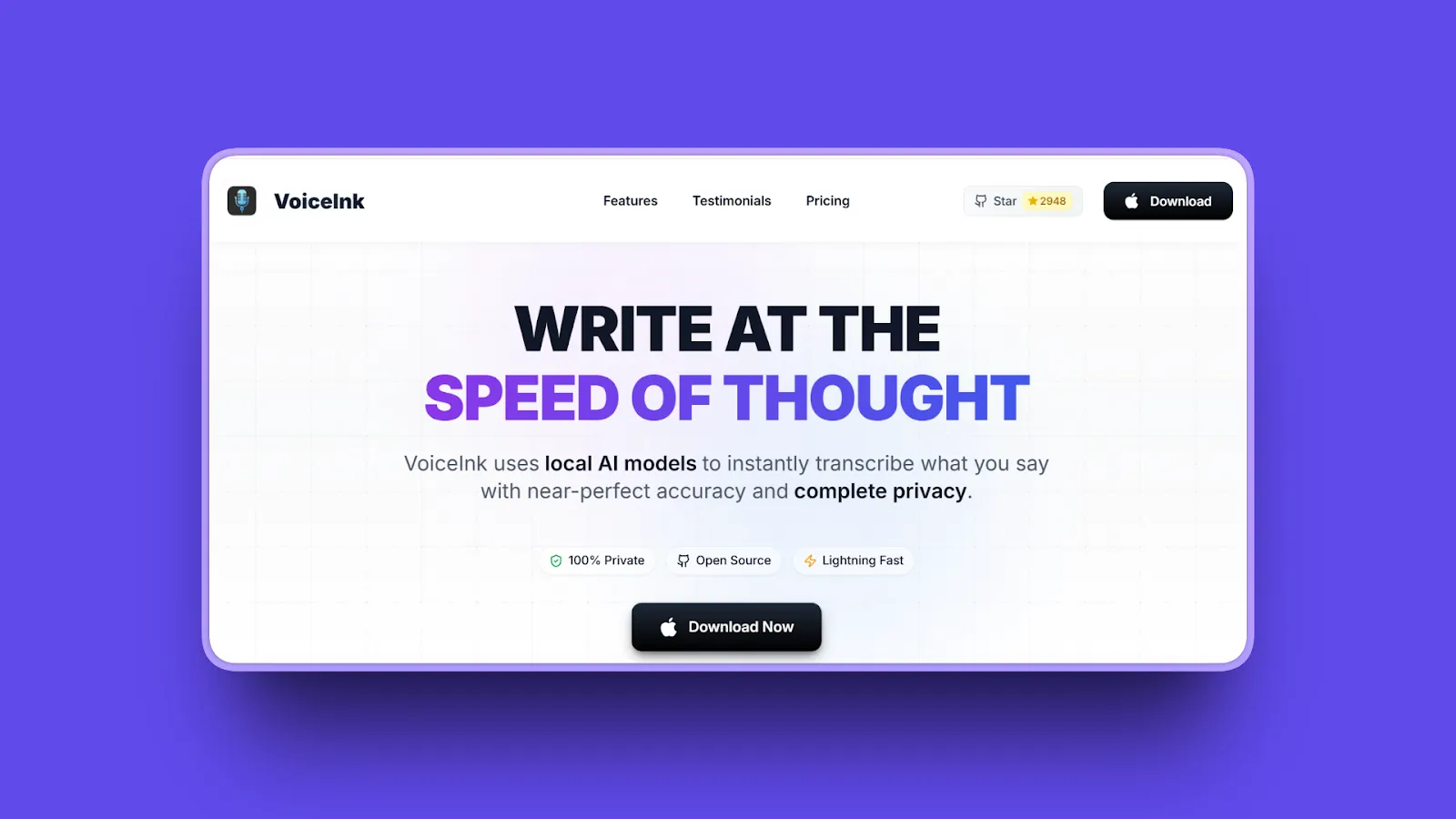
VoiceInk proves premium dictation doesn't require premium pricing. This open-source Mac app delivers 100% offline processing using local Whisper models with zero cloud dependency, and you can use it completely free by building from source or pay $39 one-time for pre-built convenience.
Key Features
- Open-source transparency with GNU GPL v3.0 license for code inspection
- Local whisper.cpp for fast offline processing with no cloud uploads
- Screenshot-based context awareness using OCR for text detection and relevance
- 100+ language support with offline Whisper models
- Personal Dictionary trains AI to recognize custom words, jargon, names, phrases
- Smart Replace text expansion shortcuts for frequent phrases
- Customizable keyboard shortcuts for personalized workflow
Pros
- Completely free if built from source with no hidden costs
- $39 one-time payment for convenience with lifetime updates (no subscription)
- 100% offline privacy matching Superwhisper's architecture
- Open-source transparency allows code verification
- Active development community with regular updates
- Supports 100+ languages with offline capability
- Context-aware via screenshot OCR for relevant transcription
Cons
- Limited AI prompting capabilities with basic text reformatting only
- Requires technical knowledge to build from source
- Less polished UX than commercial alternatives
- Mac-only with no Windows or Linux support
- Smaller user community than paid alternatives
Pricing
- Free: Build from source (requires technical skills)
- Solo: $25 (one device)
- Personal: $39 (two devices) - BEST VALUE
- Extended: $49 (three devices)
- No subscriptions or recurring costs
User Reviews
VoiceInk has 4.8/5 stars rating on TenereTeam and receives positive feedback from open-source communities, with users praising it for achieving up to 99% accuracy with complete offline processing.
Best For
Open-source enthusiasts wanting code transparency, privacy-conscious users seeking free offline dictation, Mac users avoiding subscriptions, developers comfortable building from source, budget-conscious users prioritizing one-time payment.
3. Wispr Flow: Best for Cloud-Based Polish and Teams
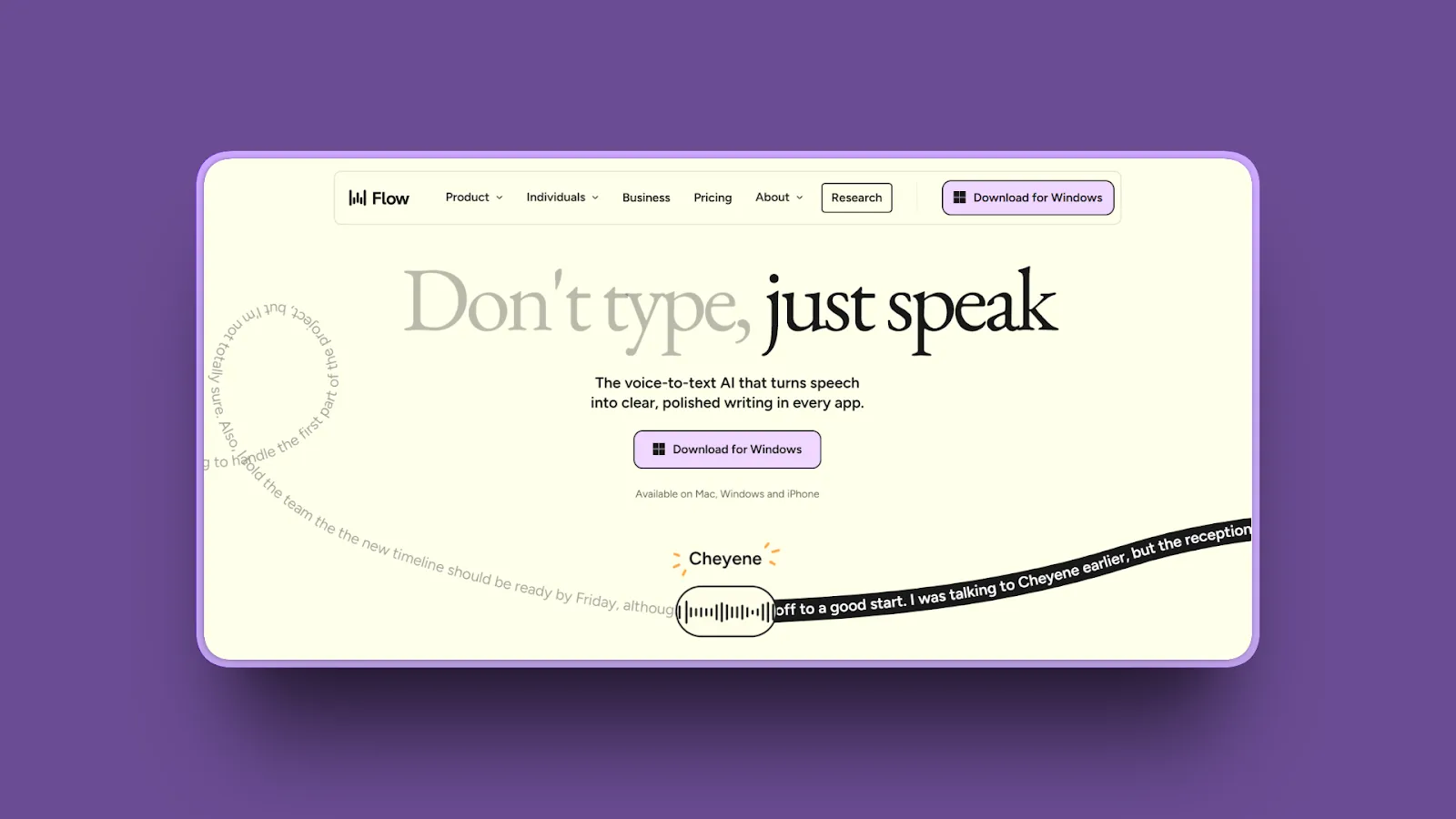
Wispr Flow represents the opposite philosophy from Superwhisper: cloud-first for maximum accuracy and automatic editing, prioritizing polish over privacy. With GPT-powered post-processing, shared team dictionaries, and 100+ language support, it's the choice for teams needing consistent, professionally formatted output across members.
Key Features
- Cloud-based GPT post-processing automatically cleans up filler words and formatting
- 100+ languages with improved quality including German, French, Spanish, Japanese
- Shared team dictionaries ensure consistent terminology across members
- Cross-platform support works on Mac, Windows, and iOS
- SOC 2 Type II plus HIPAA compliance provides enterprise-grade security
- Command Mode enables custom workflows with voice editing
- Developer integrations work with Cursor and Windsurf IDEs
Pros
- Polished, professionally formatted output requires minimal editing
- Works out of box with no configuration needed
- Cross-platform team consistency across Windows, Mac, iOS
- 100+ language support for multilingual teams
- Automatic filler word removal ("um," "like," "uh")
- SOC 2 and HIPAA compliance for enterprise requirements
- Free tier available with 2,000 words/week
Cons
- Cloud-only processing raises privacy concerns and requires internet
- High resource usage with approximately 800MB RAM and 8% CPU
- Most expensive option at $144/year
- Screenshot capture for context may concern privacy-focused users
- Sends data to OpenAI/Meta servers for processing
- No offline capability requires constant internet connection
Pricing
- Free: 2,000 words/week with limited features
- Flow Pro: $15/month monthly or $12/month billed annually ($144/year) with unlimited words
- Student Plan: $10/month
- 14-day Pro trial with automatic downgrade to Basic after trial
User Reviews
Wispr Flow has a 4.7/5 stars rating on Product Hunt and earns strong praise for speed, accuracy, and a frictionless workflow. Users also report increased productivity by about five times.
Best For
Teams needing cross-platform consistency, users prioritizing output polish over privacy, organizations with SOC 2/HIPAA requirements, multilingual dictation needs across 100+ languages, users wanting zero configuration setup.
4. BetterDictation: Best Budget-Friendly Option
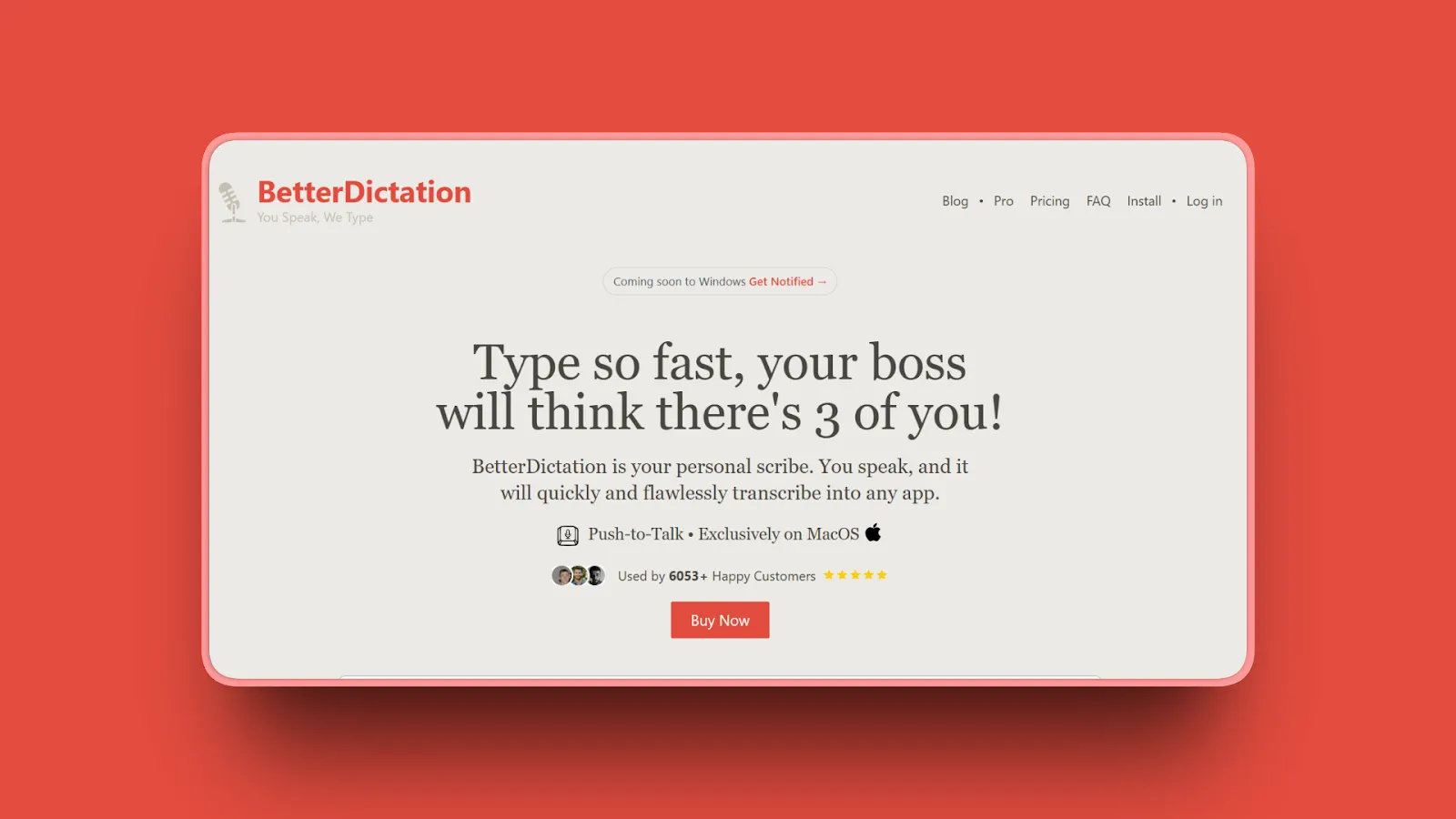
BetterDictation proves you don't need to spend $249 or subscribe forever to get quality offline dictation. At just $2/month or $24 lifetime for the cheapest option, it offers Apple Silicon-optimized local processing with push-to-talk simplicity and no configuration complexity.
Key Features
- Fully offline on Apple Silicon with M-series Mac requirement
- Push-to-talk simplicity using hold-key-to-dictate control
- Optional Pro layer adds filler removal, grammar fixes, formatting
- Native Mac integration via macOS Accessibility API
- Local Whisper processing with 100+ language support
- Simple, focused feature set avoiding complexity
- Seamless integration works in any Mac app
Pros
- Most affordable subscription at $2/month
- Cheapest lifetime option at $24 one-time
- Simple push-to-talk interface with minimal learning curve
- Fully offline privacy matching Superwhisper's architecture
- Optimized for Apple Silicon with efficient resource usage
- No complex configuration needed
- Pro features optional for users wanting advanced capabilities
- Trusted by major companies including Disney, EY, NYU, Notion, Goldman Sachs
Cons
- Apple Silicon only with no Intel Mac support (critical limitation)
- No cloud fallback option for enhanced accuracy
- Mac-only with no Windows/cross-platform support
- Limited advanced features compared to Superwhisper's customization
- Smaller user community than established alternatives
- No Product Hunt/G2 presence for independent reviews
Pricing
- Offline: $24 lifetime one-time payment
- Pro: $2/month - adds AI formatting, grammar correction, filler word removal
- Range: $24-$399 for perpetual license options
User Reviews
BetterDictation receives 4.3/5 stars rating on TenereTeam with positive reviews for exceptional value and affordability, particularly compared to subscription-based alternatives.
Best For
Budget-conscious Mac users with Apple Silicon, users wanting simple push-to-talk dictation, anyone avoiding subscriptions preferring one-time payment, users prioritizing offline privacy without configuration complexity.
5. Aqua Voice: Best for Real-Time Display
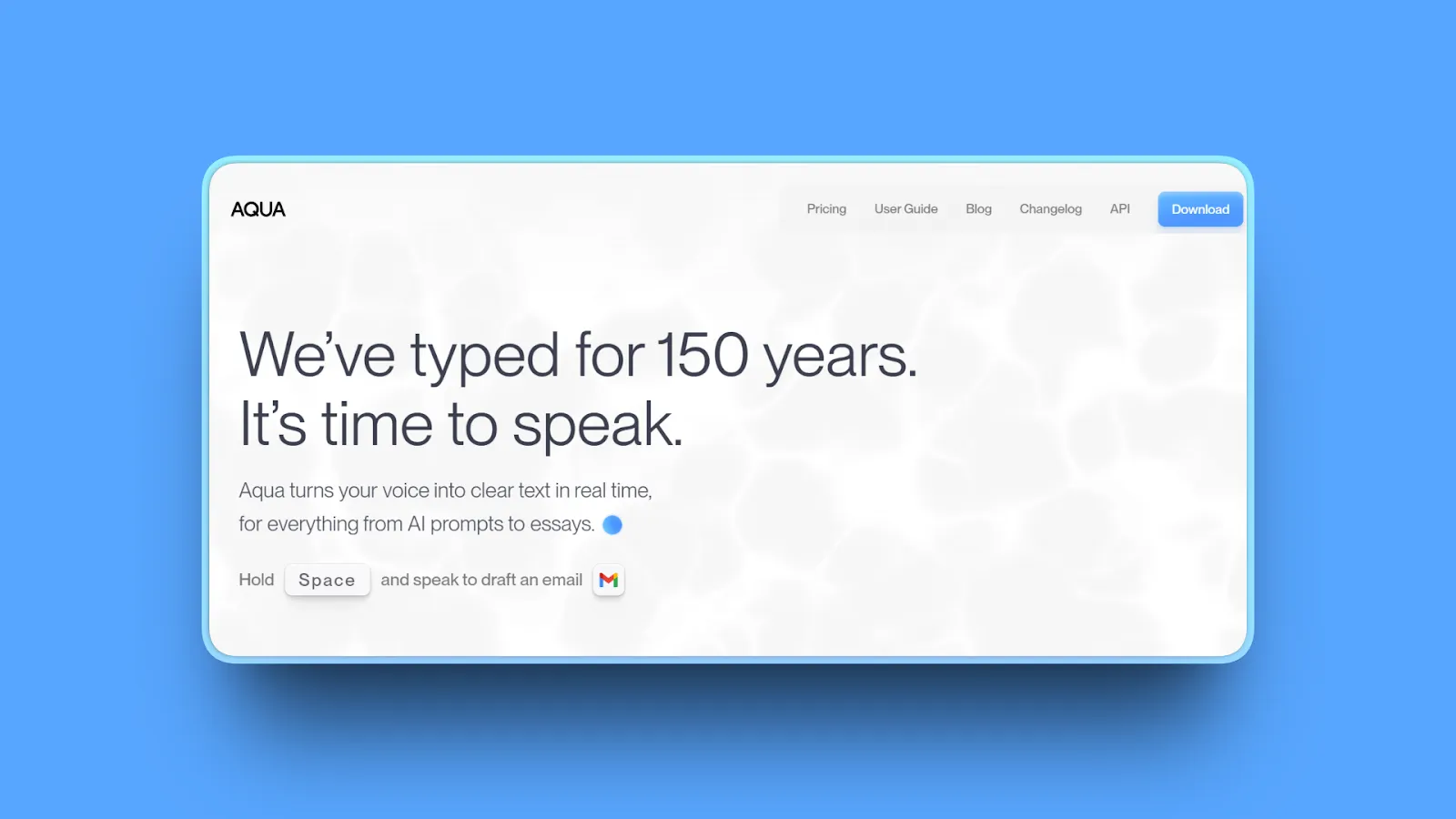
Aqua Voice stands out with one killer feature: see text appear in real-time as you speak, like Dragon Dictation. This immediate visual feedback in a floating text box makes it unique among Superwhisper alternatives, though the subscription model and cloud dependency are trade-offs.
Key Features
- Real-time Mode displays floating text box with live transcribed text
- Ultra-fast performance with text insertion in approximately 1 second (sometimes 450ms)
- 99.1% accuracy with real-time intent recognition
- Streaming Mode allows editing or formatting text before pasting
- Custom Dictionary adds words for better recognition
- Phonetic plus contextual analysis for dynamic intent interpretation
- Natural language commands enable formatting and editing tasks via voice
- Cross-platform support works on Mac (Apple Silicon & Intel) and Windows 10/11
Pros
- Ultra-fast 450ms-1 second text insertion speed
- Real-time visual display provides immediate feedback
- 99.1% accuracy with intent recognition
- Cross-platform Windows and Mac support
- Custom dictionary for specialized vocabulary
- Responsive support praised by users
- Better value than Wispr Flow according to user reports
- Excellent for accessibility users with visual feedback
Cons
- Relatively new product launched April 2025
- No Linux or mobile support currently
- Limited review data as newer product
- No G2/Capterra presence for independent validation
- Feature set still expanding with active development
- Pricing inconsistency in sources (verify current pricing)
Pricing
- Free Plan: Limited features
- Pro Plan: $8-10/month (check website for current pricing)
- Free trial available
User Reviews
Aqua Voice has 5/5 stars on Product Hunt. Users consistently praise it as the "best voice-to-text solution" for speed, accuracy, and reliability, with accessibility users particularly appreciating the real-time display. Users prefer it over Wispr Flow and Superwhisper for speed and support quality.
Best For
Users needing visual feedback while dictating, fast typists wanting even faster workflow, accessibility users benefiting from real-time display, Windows plus Mac teams needing cross-platform support, those prioritizing speed and support quality.
6. MacWhisper: Best for File Transcription
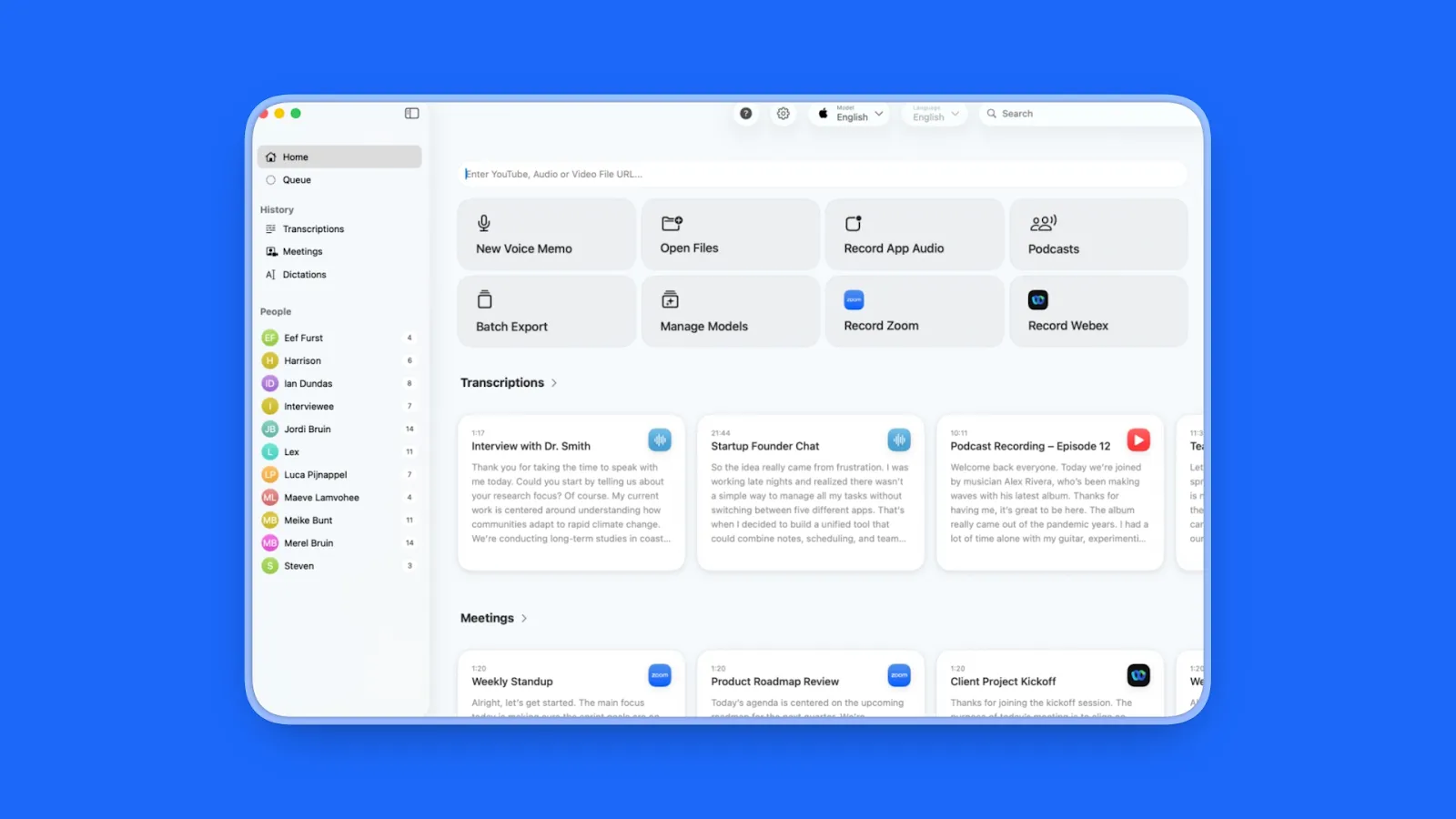
MacWhisper focuses on a different use case than real-time dictation: transcribing audio and video files with complete offline privacy. If you interview subjects, record meetings, or transcribe podcasts, MacWhisper's file-based approach and $30 one-time pricing make it ideal for batch transcription work.
Key Features
- File transcription supports drag-and-drop audio/video files (mp3, wav, m4a, ogg, opus, mov, mp4)
- Batch transcription processes multiple files simultaneously
- 100+ languages with accurate transcription offline
- Speaker identification organizes multi-person recordings
- Export formats include .srt, .vtt subtitles, csv, docx, pdf, markdown, html
- Meeting Recorder auto-records Zoom, Teams, Webex, Skype, Chime, Discord
- Ultra-fast processing up to approximately 30x realtime speed on Apple Silicon
- Privacy-first architecture with all processing on-device, no data leaves machine
Pros
- $30 one-time purchase with no subscription ever
- File transcription specialist for audio/video files
- Batch processing capability for multiple files
- 100+ language support offline
- Speaker identification for multi-person recordings
- Multiple export formats for flexibility
- Privacy-first with offline processing
- 4.9/5 Product Hunt rating from 1,886 ratings
- Fast on Apple Silicon with 30x realtime speed
- Auto-record meetings from popular platforms
Cons
- macOS only with no Windows/Linux support
- NOT for live dictation (file transcription only)
- Slower on Intel Macs than Apple Silicon
- Accuracy varies with poor audio quality
- Manual review may still be needed for accuracy
- Limited real-time dictation features
- No G2 listing found for enterprise reviews
Pricing
- Free Version: Basic features available
- Pro Version: Approximately $69 one-time purchase with NO subscription (verify current pricing on website)
- Multiple pricing tiers available
User Reviews
MacWhisper has a 4.9/5 rating on Product Hunt with users praising fast, accurate, and private on-device transcription. Users highlight simplicity, user-friendly interface, and rapid feature additions for subtitles, voice notes, and meetings.
Best For
Podcasters transcribing episodes, journalists with interview recordings, researchers processing audio data, content creators needing subtitles, anyone needing file transcription (not live typing), privacy-conscious users, one-time payment preference over subscriptions.
7. Otter.ai: Best for Meetings
Otter.ai targets a different use case than Superwhisper's dictation focus: meeting transcription with speaker identification, automated summaries, and team collaboration. While not ideal for typing workflows, it excels at capturing and organizing conversations with an excellent free tier (300 minutes monthly).
Key Features
- Automated meeting transcription joins Zoom, Google Meet, Microsoft Teams automatically
- Real-time transcription with speaker labels identifies who said what
- AI-generated summaries create insights and action items automatically
- Searchable transcripts enable full-text search across all recordings
- Multi-language support includes English, French, Spanish
- Collaboration features allow sharing notes, adding comments, assigning action items
- Integrations connect with Zoom, Teams, Meet, Slack, Salesforce
Pros
- Excellent free tier provides 300 minutes/month
- Automatic meeting attendance joins calls without manual setup
- Speaker identification accuracy distinguishes multiple speakers
- Team collaboration features enable shared workflows
- AI summaries and action items save time
- Cross-platform support for Mac, Windows, iOS, Android
- Calendar integration automates meeting transcription
- Established product with large user base
Cons
- Cloud-only processing raises privacy concerns
- Meeting focus means NOT optimized for dictation/typing
- Limited real-time typing use case
- Requires internet connection constantly
- Higher paid tiers expensive for individual use
- Free version has tight 300-minute limit
- No unlimited transcription on any plan
- Accuracy drops with accents/background noise
- Limited app integrations beyond meetings
Pricing
- Free Plan: 300 minutes/month, 30 minutes per conversation, 3 file uploads for life
- Pro Plan: $16.99/month (monthly) or $8.33/month (annual)
- Business Plan: $30/month (monthly) or $20/month (annual)
- Enterprise Plan: Custom pricing
User Reviews
Otter.ai has a 4.4/5 stars rating on G2. Users praise it as a "game-changer for productivity" with accurate transcripts and useful AI summaries.
Best For
Meeting-heavy teams needing transcription, remote workers requiring meeting notes, sales teams recording calls, students transcribing lectures, collaborative environments, NOT for general dictation/typing replacement.
8. Willow Voice: Best for Simplicity
Willow Voice prioritizes the Apple-like "it just works" experience: no setup, no configuration, just fast and accurate dictation. At $19/month with 2,000-word free trial (no credit card), it's positioned between Superwhisper's complexity and Wispr Flow's cloud dependency.
Key Features
- Zero setup required works immediately after installation
- Context-aware AI formatting automatically structures emails, adds punctuation, adapts tone
- 40% higher accuracy than built-in dictation according to company claims
- Optimized for Mac with native integration
- Natural speech handling processes conversational language
- Personalized writing style adaptation learns your preferences
- Works across all apps via system integration
- Function key activation uses press FN, release, start talking
Pros
- Apple-like simplicity with no configuration needed
- 2,000-word free trial with no credit card required
- 40% accuracy improvement over native macOS dictation
- Context-aware formatting adapts to different app types
- Natural, polished output requires minimal editing
- Easy to start using for first-time users
- Well-funded startup with $5M funding
Cons
- Cloud-based processing raises privacy consideration
- $19/month ongoing cost (pricing unclear/in flux)
- Less customization than Superwhisper's extensive options
- Mac-focused with platform limitations
- Limited review data as newer product
- No G2/Capterra ratings yet for independent validation
- Expensive at $99/month mentioned in one source
Pricing
- Free Trial: 2,000 words (no credit card required)
- Standard Plan: $15/month monthly or $12/month annually ($144/year)
- Verify current pricing on website as plans may have changed
User Reviews
Willow Voice has an incredible 4.9/5 stars rating on Product Hunt and receives positive feedback for simplicity and accuracy on their platform and mentions in comparison articles.
Best For
Mac users wanting zero-configuration dictation, anyone trying dictation for the first time, users prioritizing simplicity over customization, writers needing context-aware formatting, people willing to trade privacy for ease of use.
9. Dictanote: Best Browser-Based Option
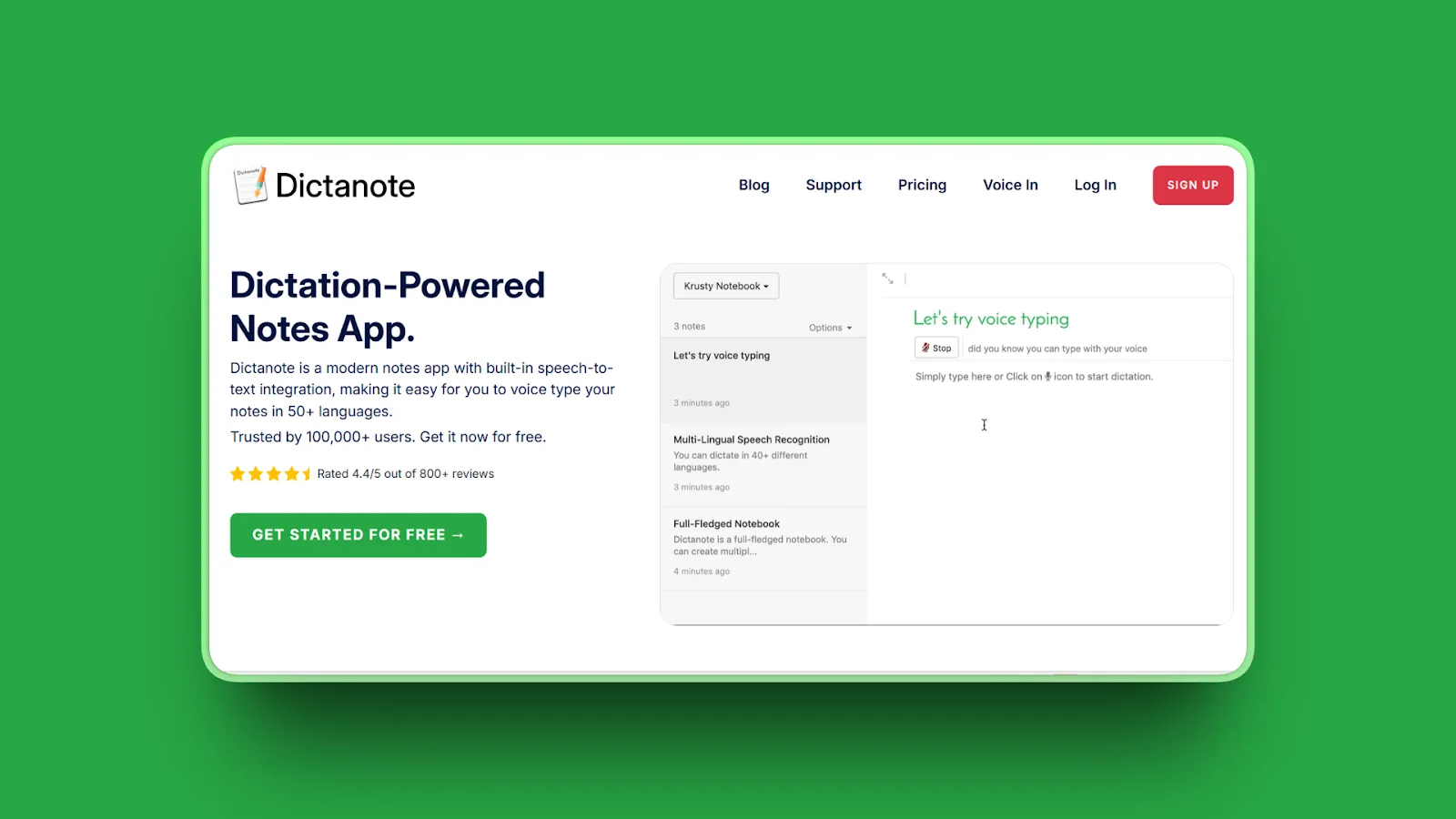
Dictanote offers a unique hybrid approach: browser-based dictation combining Web Speech API (free, instant) with premium AI models for higher accuracy. If you work primarily in browser-based apps (Google Docs, web apps), Dictanote's voice commands and formatting make it a viable cross-platform option.
Key Features
- Browser-based Chrome extension works with no download needed
- Hybrid processing uses Web Speech API plus AI models
- Voice commands for formatting enable hands-free editing
- Works in any web app including Google Docs
- Cross-platform compatibility on any OS with Chrome browser
- Offline mode available for basic functionality
- Custom voice commands create shortcuts
- Real-time transcription converts speech to text instantly
- Cloud sync provides unlimited notebooks with sync (Pro)
- Image support adds images to notes (Pro)
Pros
- Cross-platform via browser works on Windows, Mac, Linux, ChromeOS
- Free tier with Web Speech API for basic needs
- Voice commands for formatting hands-free
- Works in Google Docs and web apps
- No app installation required
- Custom command creation for personalized workflow
- Affordable pricing at $5/month
- 100,000+ user base worldwide
- HIPAA compliant never stores dictation text in database
Cons
- Browser-only means not native desktop app
- Web Speech accuracy lower than Whisper models
- Premium features require subscription
- Less privacy than offline apps with cloud dependency
- Limited to browser-based workflows
- Requires stable internet connection
- Limited offline support
Pricing
- Free Tier: Web Speech API with basic accuracy
- Dictanote Pro: $5/month (billed annually at $60)
- Voice In Plus: $60/year (separate extension upgrade)
- Free trial available
User Reviews
Dictanote has a 4.4/5 stars rating on Chrome Web Store and is trusted by 100,000+ users worldwide.
Best For
Students on Chromebooks, users who can't install software, multi-language users on budget, those wanting browser-based solutions, users working primarily in Google Docs, anyone who always has internet access, NOT for offline/privacy-focused users.
10. OpenWispr: Best Free Cross-Platform
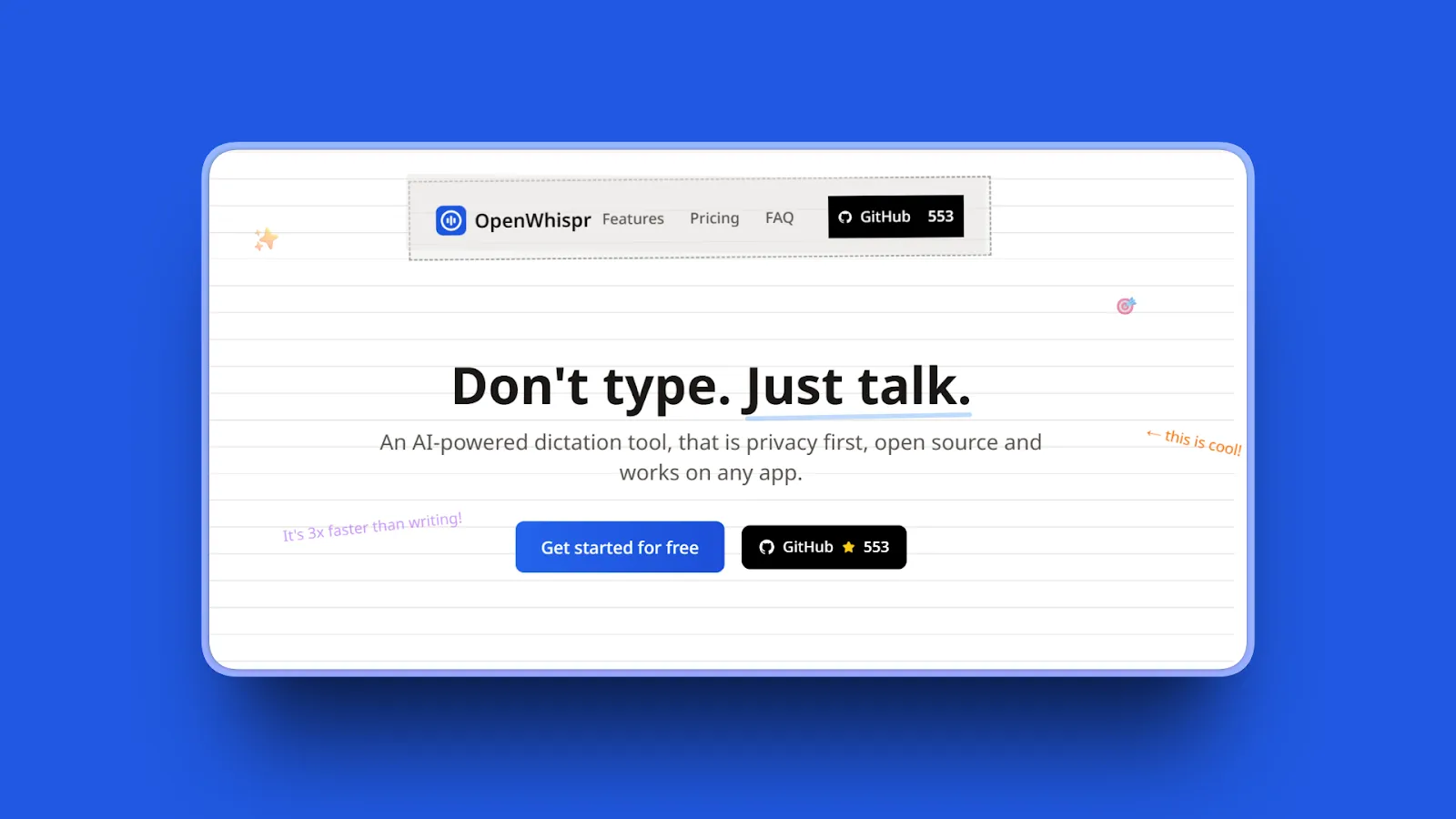
OpenWispr delivers what Superwhisper doesn't: free, open-source dictation that works on Windows, Mac, and Linux. With hybrid offline/cloud processing and smart text cleanup, it's the choice for multi-platform users wanting zero cost without sacrificing essential features.
Key Features
- Completely free and open source with MIT License
- Cross-platform support works on Windows, macOS, and Linux
- Hybrid offline/cloud processing options provide flexibility
- Smart text cleanup removes filler words automatically
- Customizable shortcuts enable personalized workflow
- Community-driven development with active contributors
- No usage limits or restrictions
- Local and cloud AI processing both available
- 100% privacy option runs AI models directly on your machine
- Multiple AI backends support OpenAI, Anthropic Claude, Google Gemini, local models (Qwen, LLaMA, Mistral)
- 58 languages including English, Spanish, French, German, Chinese, Japanese
- Global hotkey starts/stops dictation anywhere
- Auto-paste automatically pastes at cursor
- Draggable panel for dictation control
- Universal integration works in any desktop app
Pros
- Completely FREE with no paid tiers (MIT License)
- Open-source transparency allows code inspection
- Cross-platform support includes Windows, Mac, Linux
- Linux support rare in dictation apps
- Local OR cloud processing for flexibility
- Multiple AI backend options for customization
- No usage restrictions or paywalls
- Universal app integration
Cons
- Very new product added December 2025
- No established user base yet for community support
- No professional support available
- Less polished than commercial apps
- Requires technical knowledge for local setup
- No review data available yet
- Unknown long-term maintenance commitment
Pricing
Free: All features (open source, MIT License, no paid version)
User Reviews
OpenWispr has positive feedback on GitHub with 500+ stars from open-source communities for privacy and customization capabilities.
Best For
Cross-platform users (Windows, Mac, Linux), open-source advocates, budget-conscious users avoiding any cost, privacy-focused users wanting source code transparency, technically comfortable users willing to troubleshoot, Linux users (few other options available).
11. Whispering: Best Simple Free Cross-Platform
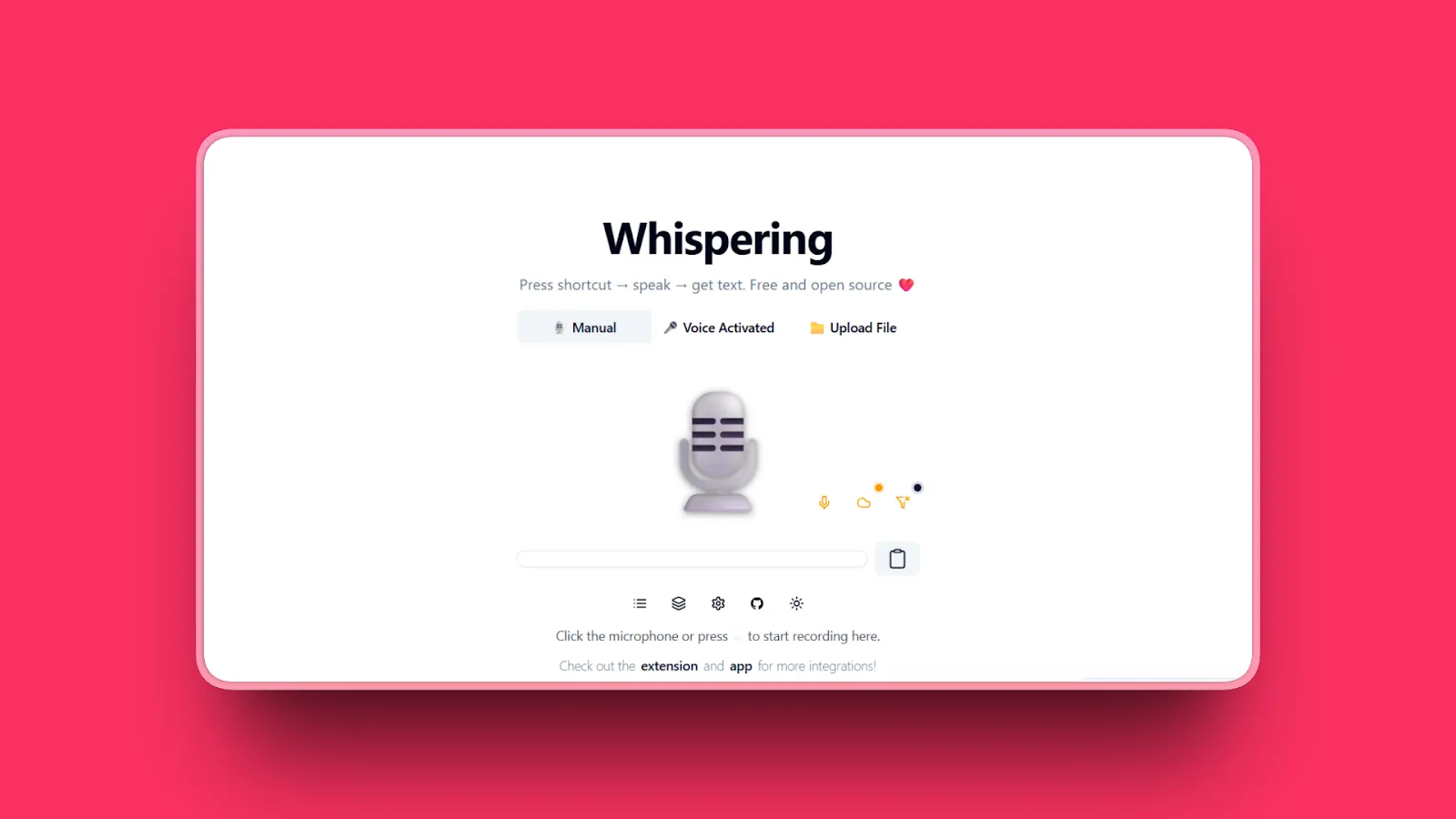
Whispering rounds out our list as another free, open-source alternative supporting Windows, macOS, and Linux. If OpenWispr feels too technical, Whispering offers a simpler free option for cross-platform offline dictation without configuration complexity.
Key Features
- Free and open source with no costs
- Cross-platform support on Windows, macOS, Linux
- Offline local processing for privacy
- Simple interface with minimal complexity
- Basic dictation functionality focused on core features
- No cloud dependency for privacy
- Real-time processing similar to Dragon dictation experience
- Auto-input allows dictating without pressing any keys
Pros
- Completely free with no costs ever
- Cross-platform support includes Windows, Mac, Linux
- Linux support rare in dictation apps
- Offline privacy with local processing
- Simple, focused functionality without bloat
- No usage limits or restrictions
- Open-source transparency
- Real-time processing for immediate feedback
- Auto-input convenience
Cons
- Basic feature set without advanced capabilities
- UI/UX not as polished (not native stack) according to reviews
- Not on par with Superwhisper in features/ease-of-use
- Limited documentation compared to commercial products
- Smaller user community than paid alternatives
- No professional support available
- Limited review/rating data
Pricing
Free: All features (open source)
User Reviews
Whispering has 200+ stars on GitHub and is mentioned positively in open-source communities for cross-platform support and zero cost.
Best For
Linux users with few alternatives, budget users seeking completely free solutions, open-source enthusiasts, users prioritizing cross-platform over polish, those comfortable with basic interfaces, cross-platform teams on budget.
Quick Comparison Table
| Tool Name | AI Features | Standout Feature | Best For |
|---|---|---|---|
| Voibe | Whisper models, Developer Mode | Offline privacy at 48% cheaper than Superwhisper | Developers, privacy-focused, budget-conscious |
| VoiceInk | Local Whisper, basic prompting | Free open-source or $39 one-time | Open-source enthusiasts, free alternative |
| Wispr Flow | GPT post-processing, cloud AI | Team dictionaries, cross-platform polish | Teams, cloud-based workflows |
| BetterDictation | Optional AI formatting | Cheapest subscription ($2/month) | Budget users, simple dictation |
| Aqua Voice | Cloud AI, real-time display | See text as you speak | Real-time visual feedback |
| MacWhisper | File transcription focus | Audio/video file processing | Researchers, podcasters |
| Otter.ai | Meeting summaries, speaker ID | Automated meeting transcription | Meeting transcription, teams |
| Willow Voice | Context-aware formatting | Apple-like simplicity | First-time users, simplicity |
| Dictanote | Hybrid Web Speech plus AI | Browser-based, voice commands | Browser-focused workflows |
| OpenWispr | Offline/cloud hybrid | Free cross-platform | Windows/Linux users, free |
| Whispering | Basic offline processing | Simple free cross-platform | Basic cross-platform needs |
How to Choose the Right Superwhisper Alternative
Four key questions will guide you to the right choice.
1. What's your primary concern leaving Superwhisper?
- If manual cleanup frustration drives you away, choose Wispr Flow (GPT post-processing) or Voibe (optimized models).
- If complex setup overwhelms you, pick Voibe, BetterDictation, or Willow (simple out-of-box).
- If high pricing is the barrier, go with VoiceInk ($39 one-time), BetterDictation ($24 lifetime), or Voibe ($44.10/year).
- If Mac-only limitation blocks your team, select Wispr Flow, Aqua Voice, or OpenWispr (cross-platform).
- If no team features hurt collaboration, choose Wispr Flow (team dictionaries).
2. How important is privacy to you?
- If critical for legal, medical, or proprietary code work, use Voibe, VoiceInk, Superwhisper, or MacWhisper (100% offline).
- If important but flexible, try BetterDictation or Willow (prefer offline).
- If less critical and comfortable with cloud for accuracy, go with Wispr Flow, Otter.ai, or Aqua Voice.
3. What's your budget and pricing preference?
- Free only: VoiceInk (built from source), OpenWispr, or Whispering.
- Under $50 one-time: VoiceInk ($39) or BetterDictation ($24).
- Under $50/year: Voibe ($44.10/year) or Superwhisper Pro ($64.92/year).
- Under $150/year: BetterDictation Pro ($24/year), Superwhisper ($84.99/year), or Willow ($144/year).
- Premium/enterprise needs: Wispr Flow Teams or Otter.ai Business.
4. What's your platform and workflow?
- Mac-only developers: Voibe (Developer Mode), VoiceInk, or Superwhisper.
- Mac general users: Voibe, BetterDictation, or Willow.
- Cross-platform teams: Wispr Flow, Aqua Voice, or Otter.ai.
- Windows plus Mac: Wispr Flow, Aqua Voice, or OpenWispr.
- Linux users: OpenWispr or Whispering.
- Browser-focused workflows: Dictanote.
- Meeting transcription: Otter.ai.
- File transcription: MacWhisper.
Use-Case Cheat Sheet
Scenario 1: Developer using Cursor/Windsurf AI assistants
Best Choice: Voibe
Developer Mode resolves workspace files/folders, offline privacy for proprietary code.
Scenario 2: Budget-conscious Mac user wanting offline privacy
Best Choice: VoiceInk ($39 one-time) or BetterDictation ($24 lifetime)
Eliminate recurring costs while maintaining professional transcription quality.
Scenario 3: Team needing cross-platform consistency
Best Choice: Wispr Flow
Mac/Windows support, team dictionaries, shared formatting.
Scenario 4: Privacy-critical work (legal, medical, confidential)
Best Choice: Voibe or VoiceInk
100% offline processing keeps all data on-device.
Scenario 5: Superwhisper user frustrated by manual cleanup
Best Choice: Wispr Flow (GPT auto-cleanup) or Voibe (optimized accuracy)
Reduce post-dictation editing time significantly.
Scenario 6: First-time dictation user wanting simplicity
Best Choice: Willow Voice (2,000-word free trial) or Voibe (7-day free trial)
Zero setup, works immediately after installation.
Scenario 7: Researcher transcribing interview recordings
Best Choice: MacWhisper
File transcription, speaker diarization, offline privacy.
Scenario 8: Remote team recording meetings
Best Choice: Otter.ai
Automated meeting transcription, speaker ID, free tier.
Scenario 9: Open-source advocate or Linux user
Best Choice: OpenWispr
Free, cross-platform including Linux support.
Scenario 10: Writer needing real-time visual feedback
Best Choice: Aqua Voice
See text as you speak, Dragon-like experience.
Scenario 11: Power user wanting ultimate customization
Best Choice: Superwhisper
Despite pain points, most customizable if willing to learn.
Scenario 12: Browser-based workflow (Google Docs, web apps)
Best Choice: Dictanote
Chrome extension, voice commands, cross-platform.
Frequently Asked Questions
Basics
What are the best Superwhisper alternatives?
The best Superwhisper alternatives are Voibe (offline privacy at 48% lower annual cost, $44.10/year), VoiceInk (free open-source or $39 one-time), Wispr Flow (cloud-based polish for teams, $144/year), and BetterDictation (budget option at $2/month or $24 lifetime). Each solves specific Superwhisper pain points: Voibe for simplicity, VoiceInk for cost, Wispr Flow for teams, BetterDictation for affordability.
What is the best alternative to Superwhisper for Mac?
Voibe is the best Mac alternative, offering Superwhisper's offline privacy without complexity or premium pricing ($44.10/year vs $84.99/year). Optimized for Apple Silicon with Developer Mode for coding workflows, it works out of box with zero configuration. VoiceInk is best for free/open-source users ($39 one-time or build from source), while Superwhisper remains best for power users needing ultimate customization despite complexity.
Is Superwhisper worth it?
Superwhisper is worth it for power users who need ultimate customization, offline privacy, and Mac-native integration, and are willing to invest time learning custom modes and prompt engineering. However, most users find better value in simpler alternatives: Voibe offers 48% savings ($44.10/year) with matching privacy and simpler UX, while VoiceInk costs just $39 one-time for similar offline capability.
Comparisons
What is the difference between Wispr Flow and Superwhisper?
Wispr Flow processes transcriptions in the cloud (requires internet, sends data to OpenAI/Meta) for automatic GPT-powered cleanup and polished output, while Superwhisper operates entirely offline with local processing on Mac. Superwhisper offers more customization ($8.49/month or $249 lifetime) but requires manual transcript cleanup, whereas Wispr Flow prioritizes ease of use ($12/month) over privacy.
Superwhisper vs VoiceInk vs Voibe comparison?
All three offer offline Mac dictation with privacy, but differ in approach: Superwhisper ($84.99/year or $249 lifetime) maximizes customization with complex setup, VoiceInk ($39 one-time or free open-source) prioritizes transparency and one-time cost, Voibe ($44.10/year) balances privacy with simplicity plus unique Developer Mode. Choose Superwhisper for power, VoiceInk for free/open-source, Voibe for best value and simplicity.
How much does Superwhisper cost?
Superwhisper offers free tier (15 minutes Pro features, unlimited small models, 3 custom modes), Pro subscription ($8.49/month or $84.99/year billed annually with unlimited Pro features, larger models, unlimited modes), and Lifetime license ($249 one-time payment).
Privacy & Offline
Which Superwhisper alternatives offer offline processing?
Voibe, VoiceInk, BetterDictation, MacWhisper, and Superwhisper itself all offer 100% offline local processing with zero cloud dependency. These tools process voice data entirely on your device, making them suitable for confidential work (legal, medical, proprietary code). OpenWispr and Whispering also support offline mode. Cloud-only tools (Wispr Flow, Otter.ai, Aqua Voice) require internet and send data to third-party servers.
What is better than Superwhisper for privacy?
Voibe, VoiceInk, and MacWhisper match Superwhisper's privacy with 100% offline local processing and zero cloud dependency. Voibe costs 48% less annually ($44.10/year vs $84.99/year) while offering HIPAA-ready architecture. VoiceInk's open-source code allows verification that no data collection occurs. All three keep voice recordings entirely on your device, suitable for confidential work like legal documents or proprietary code.
Does Superwhisper work on Windows?
No, Superwhisper runs exclusively on macOS 13+ and iOS devices. Cross-platform alternatives supporting Windows include Wispr Flow (Mac, Windows, iOS), Aqua Voice (Mac, Windows), OpenWispr (Windows, Mac, Linux), Whispering (Windows, macOS, Linux), Otter.ai (cross-platform), and Dictanote (browser-based, any OS). Voibe is currently Mac-only but has Windows support on roadmap.
Free Alternatives
Are there free alternatives to Superwhisper?
Yes, several quality free alternatives exist: VoiceInk (free if built from source, $39 pre-built), OpenWispr (completely free open-source cross-platform), Whispering (free open-source), built-in macOS Dictation (basic but functional). VoiceInk and OpenWispr offer offline privacy matching Superwhisper's at zero cost.
Performance & Usability
Why do users leave Superwhisper?
Users leave Superwhisper for four main reasons: manual transcript cleanup required (especially longer dictations), complex technical setup overwhelming casual users (model selection, mode configuration, prompt engineering), Mac-only platform limitation (no Windows support for teams), and premium pricing ($84.99/year or $249 lifetime) when alternatives offer similar offline capability at $24-45/year or one-time. Simpler alternatives (Voibe, BetterDictation, Willow) solve these pain points.
What Superwhisper alternative is easiest to use?
Voibe, BetterDictation, and Willow Voice are easiest to use, requiring zero configuration and working immediately after installation. Voibe offers hold-Fn-key simplicity with Developer Mode for coding, BetterDictation provides push-to-talk at $2/month or $24 lifetime, and Willow prioritizes Apple-like "it just works" experience. All avoid Superwhisper's complex model selection and prompt engineering while maintaining good accuracy through optimized default settings.
Final Thoughts
The best Superwhisper alternatives don't just match features, they solve real problems. Manual cleanup, complex setup, platform limitations, and premium pricing are solvable when you choose the right tool for your workflow.
Voibe tops our list because it delivers what most Superwhisper users actually need: offline privacy without complexity, Developer Mode for coding workflows, and exceptional pricing with a $99 lifetime plan (60% cheaper than Superwhisper's $249 lifetime) or annual plans at 48% savings. Whether you're documenting code in Cursor, drafting confidential legal documents, or writing long-form content, Voibe's optimized approach works immediately without configuration overwhelm.
For Mac users prioritizing privacy, performance, and value, it's the smart alternative. The combination of Superwhisper-level privacy, BetterDictation-level simplicity, and best-in-class pricing makes Voibe the clear choice for developers and power users.
Try Voibe Today
Experience the difference of true local AI dictation. Download it for free and start dictating 3x faster than you can type.
Download for MacRequires macOS 13+ (Apple Silicon recommended)